Why People Move from pCloud to Proton Drive
Most pCloud users who switch aren't unhappy with the storage — they want encryption without a separate purchase, or they already pay for Proton Mail and want one account instead of two.
- 🔏 Encryption on everything, not one folder — In pCloud, only the Crypto folder is encrypted on your device, and Crypto is sold as an add-on. In Proton Drive, every file and file name is end-to-end encrypted by default.
- 🧾 One subscription instead of two — Proton Unlimited bundles Drive with Mail, Calendar, VPN and Pass. If you already pay for it, keeping a second pCloud plan is often the first thing to cut.
- 🧭 Same jurisdiction, different model — Both companies are Swiss. The difference is technical: pCloud manages the keys for ordinary folders, Proton never holds the keys to your files.
- 🗂️ Keep the folder structure — A folder-level transfer recreates your pCloud tree in Proton Drive, so years of sorting don't have to be redone.
How pCloud and Proton Drive Differ
On paper they look alike. In practice the encryption model changes how you use them every day.
☁️ pCloud
pCloud is known for lifetime plans and fast media streaming, with data stored in either the EU (Luxembourg) or the US — you pick the region when you sign up.
- Free accounts get up to 10 GB; paid plans come as yearly subscriptions or one-time lifetime purchases.
- Client-side encryption lives in pCloud Crypto, a paid add-on that covers one special folder.
- Ordinary folders get thumbnails, video streaming and previews, because pCloud can read them.
🛡️ Proton Drive
Proton Drive comes from the team behind Proton Mail and encrypts files and file names on your device before upload.
- The free plan unlocks up to 5 GB; Drive Plus is 200 GB, and Proton Unlimited includes 500 GB alongside Mail, VPN and Pass.
- End-to-end encryption is the default for every file — there's no separate vault to remember.
- Because encryption happens on the uploading device, large uploads take longer than to a conventional cloud.
Method 1: Download from pCloud, Upload to Proton Drive
For a few folders, the web apps are enough. It gets tedious fast with a big library, because every file passes through your disk twice.
- 📥 Download from pCloud — Sign in at my.pcloud.com, select the files or folders and click Download. Folders arrive as a zip archive, so unzip them on your Mac first.
- 📤 Upload to Proton Drive — Sign in at drive.proton.me, open the destination folder and drag the unzipped files or folders in. Keep the tab open until the uploads finish; files are encrypted in the browser as they go.
There's no resume if the browser tab closes, and you need enough free disk space for the whole download. For anything larger than a few gigabytes, Method 2 is less work.
Method 2: Transfer pCloud to Proton Drive with OurClone
OurClone copies files straight from pCloud to Proton Drive on your Mac, folder by folder, with live progress. Nothing passes through a third-party server, and nothing needs to be unzipped.
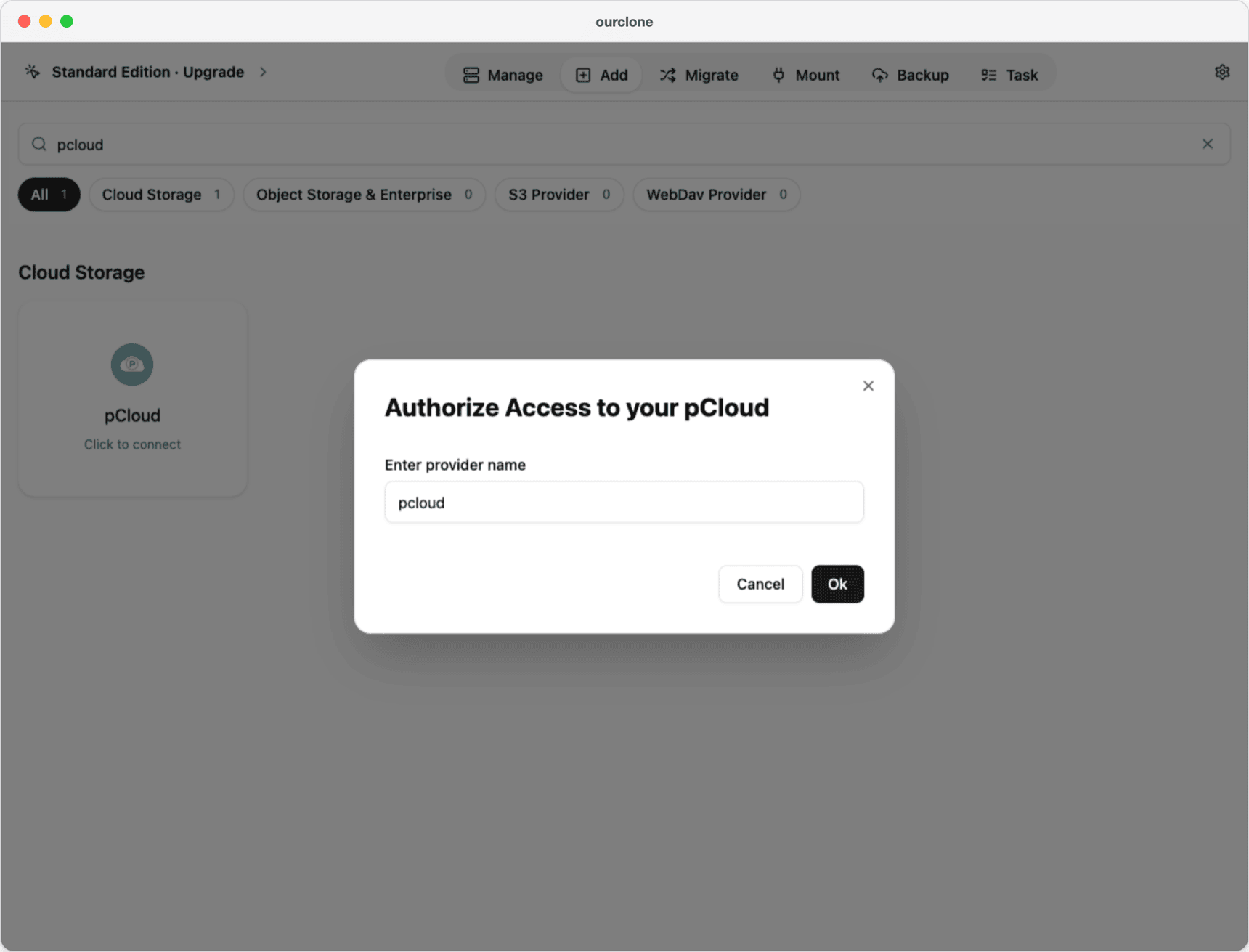
- 🔗 Step 1: Add pCloud as the Source — Open OurClone, go to the Add tab, search for pcloud and pick pCloud. Enter a name for the connection (here
pcloud) and click Ok. Your browser opens the pCloud sign-in page; log in and allow access, then return to OurClone. - 🔐 Step 2: Add Proton Drive as the Destination — Back on the Add tab, search for proton and pick Proton Drive. Enter a Remote Name (here
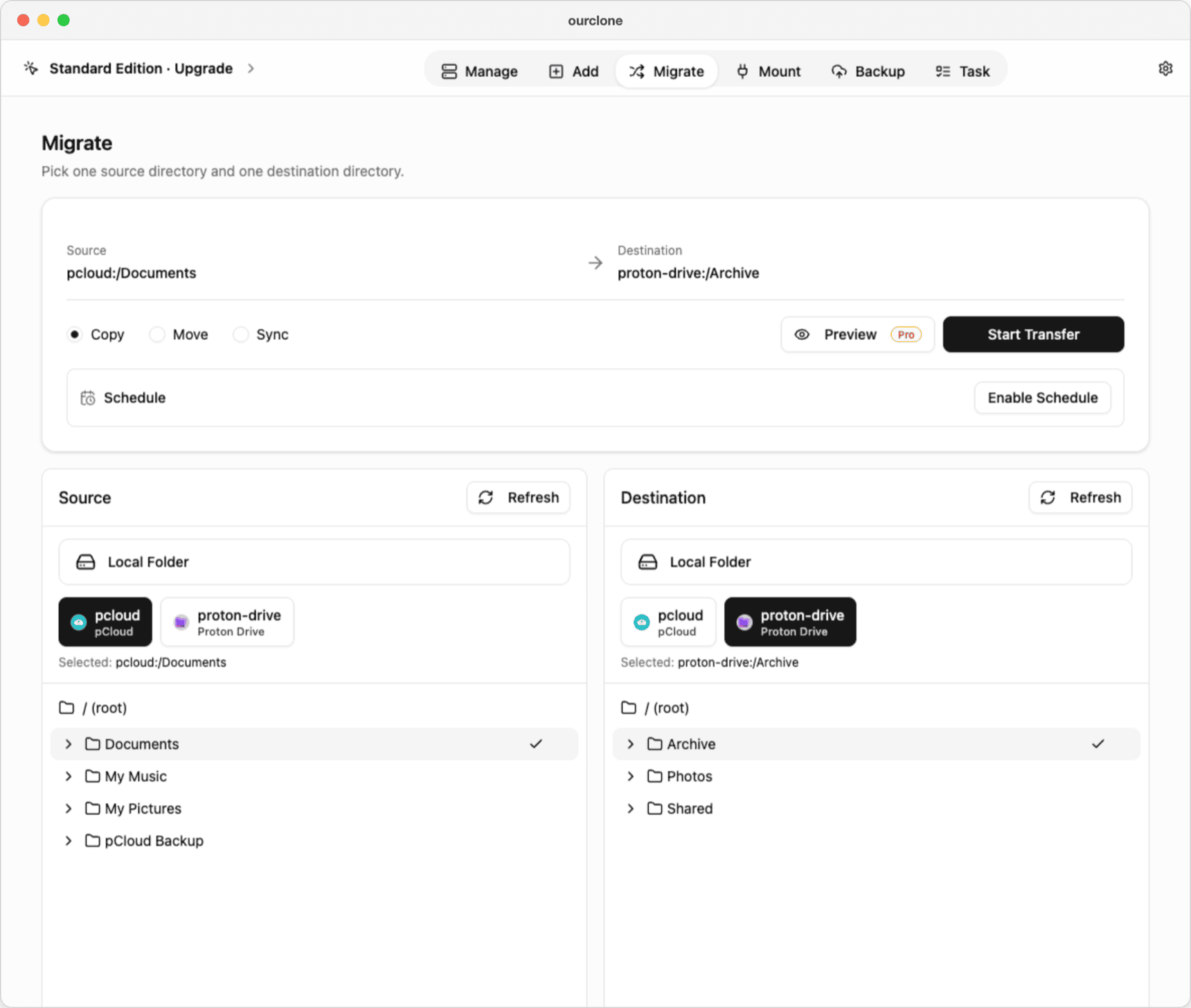
proton-drive), your Proton email and password, and the current code in 2fa if your account uses two-factor authentication. Click Confirm. If Proton asks for a CAPTCHA, OurClone explains how to complete it in your browser and then try again. - 🔀 Step 3: Pick the Folders and a Mode on the Migrate Page — Open the Migrate tab. In the Source panel, select
pcloudand the folder to move (hereDocuments); in the Destination panel, selectproton-driveand the target folder (hereArchive). Then choose a mode:- Copy — copies the files to Proton Drive; nothing is deleted from pCloud.
- Move — copies the files, then deletes them from pCloud (they go to pCloud's Trash).
- Sync — makes the Proton Drive folder match the pCloud folder; files that exist only in the Proton Drive folder are deleted, pCloud is never changed.
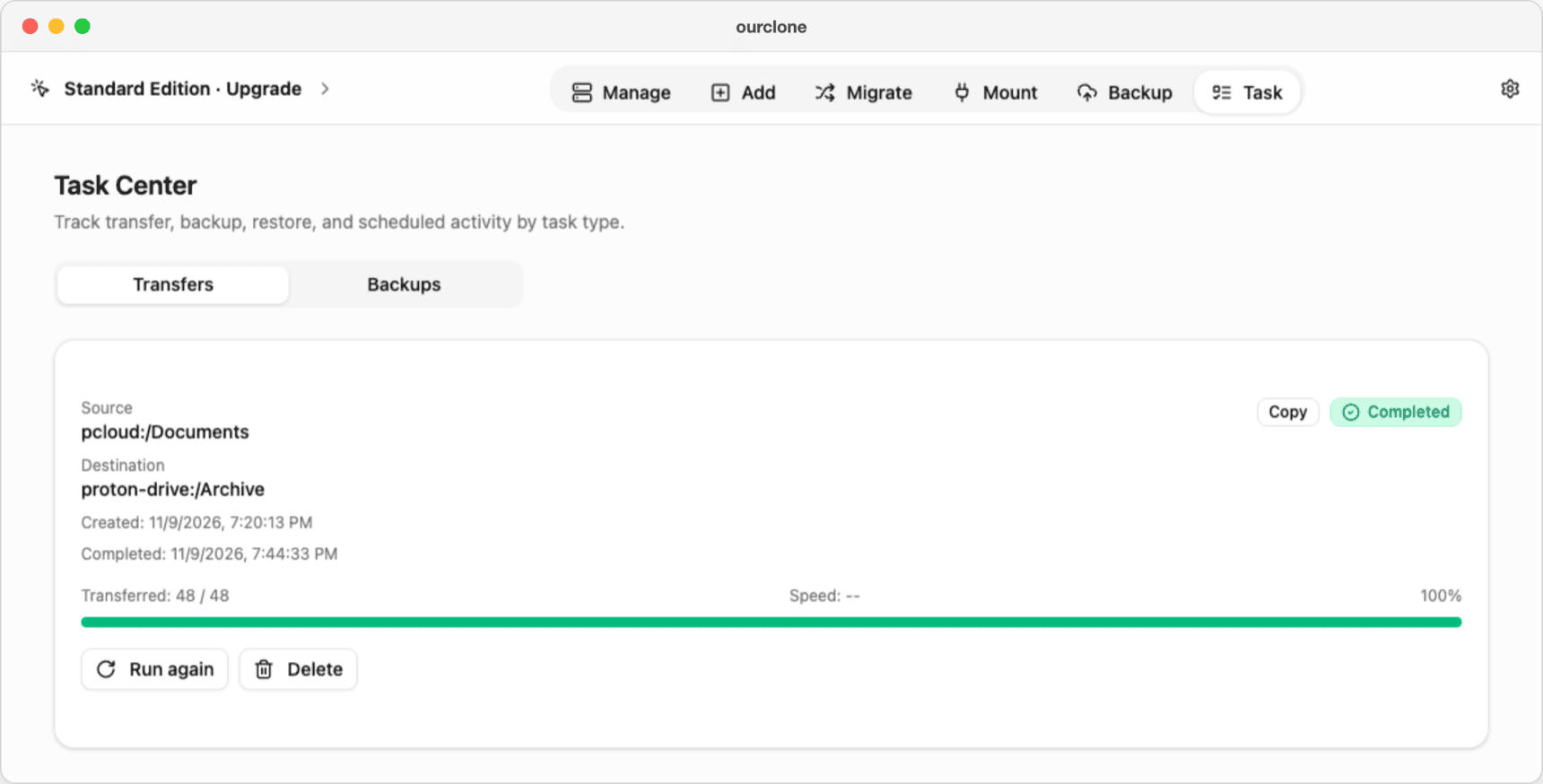
- 📊 Watch the Task Center — The Task tab shows the transfer's progress and speed, then Completed. If some files fail, the task lists them so you can retry with Run again, which skips what already arrived.

Start with Copy, check the files in Proton Drive, and only then delete them from pCloud — or run the same job again with Move.
Method 3: Transfer pCloud to Proton Drive with rclone
OurClone is built on rclone, so the same transfer works from the Terminal — handy if you want to run it on a server or script it.
Install rclone
Download it from the rclone downloads page, or run brew install rclone on a Mac.
Set up both remotes
Run rclone config. The pcloud backend signs you in through your browser; the protondrive backend asks for your Proton username, password and, if enabled, a 2FA code.
Run the transfer
# Copy: pCloud keeps its files
rclone copy pcloud:Documents proton:Archive --progress

# Move: delete from pCloud after the copy
rclone move pcloud:Documents proton:Archive --progress

# Sync: make proton:Archive match pcloud:Documents (deletes extras in Proton Drive)
rclone sync pcloud:Documents proton:Archive --progress- ⚠️ Add
--dry-runbefore amoveorsyncto see what would change. - ⚠️ Errors only show up in the Terminal, and each remote has to be configured by hand.
pCloud to Proton Drive: Common Snags
- 🐌 It's slower than you expect — Proton Drive encrypts each file on your computer before upload, so throughput is lower than a plain cloud-to-cloud copy. Let big jobs run overnight.
- 🔒 Files in pCloud Crypto — Files in the Crypto folder are encrypted with your Crypto pass, which rclone and OurClone can't unlock. Move them out of Crypto in the pCloud app first, or copy them by hand.
- 📦 Proton storage fills up — The free plan has up to 5 GB. Check the size of the pCloud folder against your Proton plan before starting.
- 🔑 Sign-in problems with Proton — A 2FA code expires after 30 seconds, so enter a fresh one. A CAPTCHA isn't a wrong password: complete it in your browser, then add Proton Drive again.
Will my pCloud files be deleted?
Only with Move. Copy leaves pCloud untouched, and Sync only deletes extra files on the Proton Drive side.
Can I keep pCloud and Proton Drive in step for a while?
With Pro, you can save the transfer as a schedule that runs one time, weekly or monthly at a time you choose. Your computer has to be on when it runs; there's no continuous sync between the two.
Do shared links come along?
No. Only files and folders are transferred; re-create shared links in Proton Drive afterwards.