Amazon S3 vs Cloudflare R2: What Each One Is Good At
Both expose an S3-compatible API, so the move is mostly about economics — specifically what happens when you read your data back out.
🟧 Amazon S3
Amazon S3 is the original object store and the reference everyone else copies.
- 11 nines of durability, dozens of regions, and the widest AWS integration.
- A full range of storage classes from Standard down to Deep Archive.
- Storage ~$0.023/GB/month — plus egress around $0.09/GB that can dominate the bill.
- Keys and buckets live in the AWS Console.
🟠 Cloudflare R2
Cloudflare R2 is object storage built around one big promise: no egress fees, ever.
- Zero egress charges — you only pay for storage and operations.
- Storage around $0.015/GB/month, below S3 Standard.
- Tight integration with Cloudflare Workers, CDN, and the global edge network.
- S3-compatible API with an endpoint like
https://<accountid>.r2.cloudflarestorage.com.
Why Move from Amazon S3 to Cloudflare R2?
If your workload serves files to users — images, downloads, video, backups people actually restore — S3 egress fees can quietly become your largest line item. R2 erases that category entirely, which often turns a painful monthly bill into a predictable one.
- 🚫 Zero Egress Fees — R2 charges nothing to read data out. For high-traffic assets, this alone can cut your storage spend dramatically versus S3.
- 🌐 Edge and Workers Integration — R2 plugs straight into Cloudflare's CDN and Workers, ideal if you're already serving through Cloudflare.
- 📉 Lower Storage Rate — At ~$0.015/GB/month, R2 undercuts S3 Standard before egress even enters the picture.
- 🔌 Drop-In S3 API — R2 speaks S3, so OurClone, rclone, and your existing tooling keep working with just an endpoint swap.
Method 1: Download from Amazon S3 and Upload to Cloudflare R2 by Hand
The console route needs no tools, but the AWS Console won't download a whole bucket at once — so this is realistic only for a small number of objects.
- 📥 Download from Amazon S3 — In the AWS S3 Console, open your bucket, select objects, and download them to a folder like
~/Downloads/s3-export. Remember you pay egress on everything you pull. - 📤 Upload to Cloudflare R2 — In the Cloudflare dashboard, open R2, select your bucket, and drag the downloaded files in.
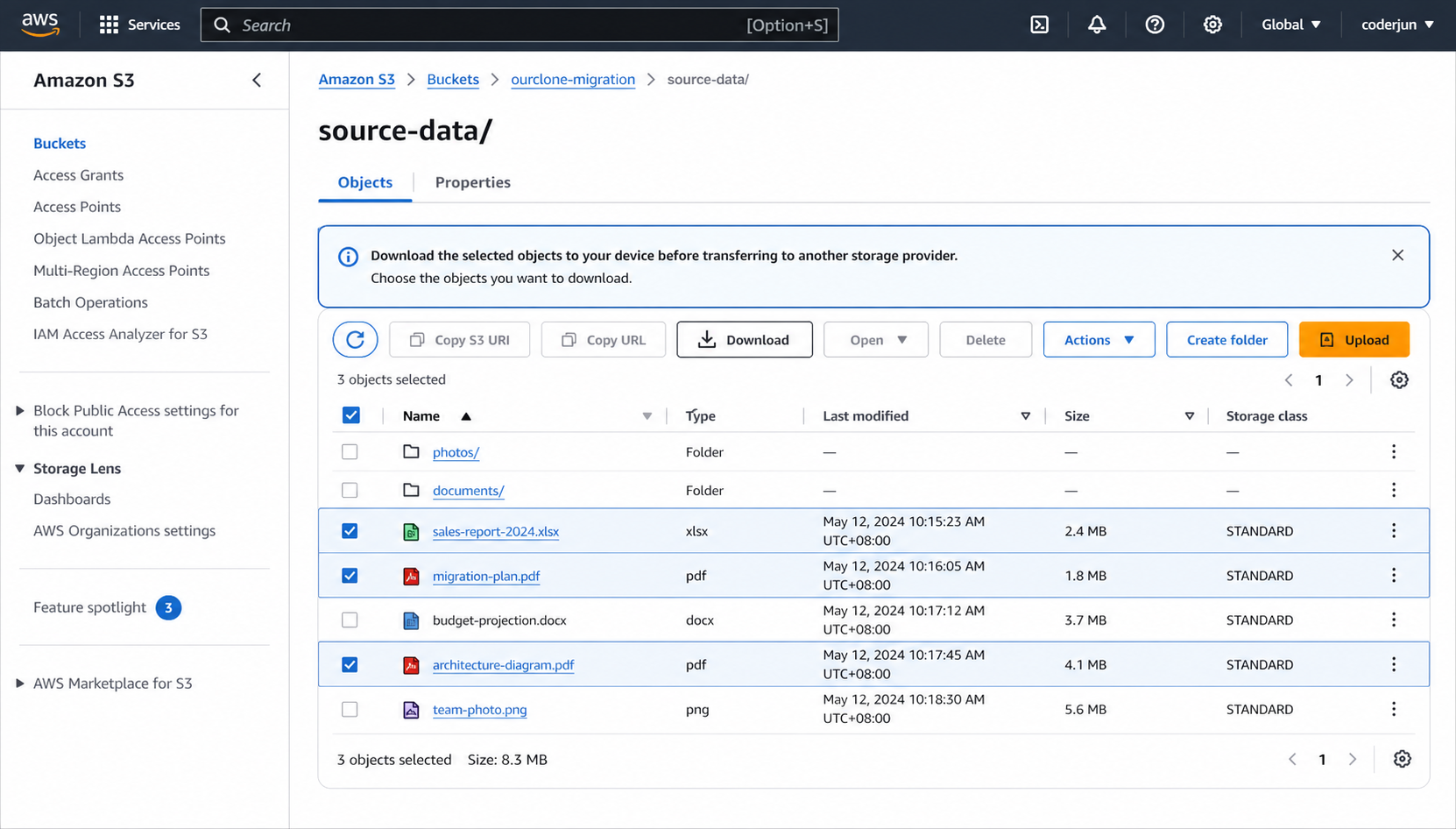
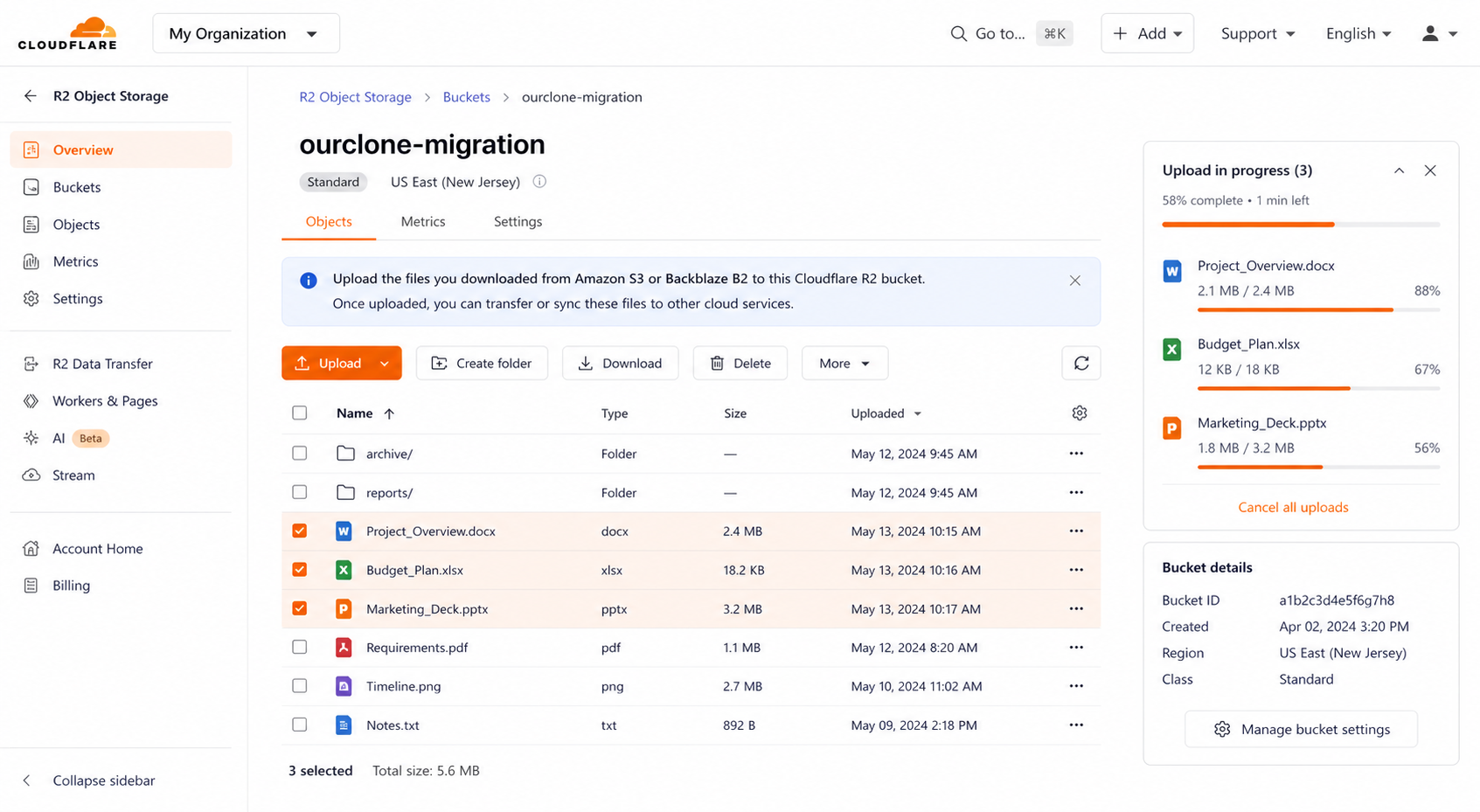
It's fine for a quick test, but with no bulk download, no resume, and full S3 egress on every object, it falls apart on real buckets — which is exactly where Method 2 shines.
Method 2: Transfer Amazon S3 to Cloudflare R2 with OurClone
OurClone streams objects from Amazon S3 to Cloudflare R2 directly through your Mac, with live progress and no relay server. Three steps: add the source, add the target, run the migration.
- 🔐 Step 1: Add Amazon S3 as the Source — In OurClone open
Add Storageand choose Amazon S3 from the S3 list. Set a Remote Name, enter your Access Key ID and Secret Access Key (from Security Credentials in the AWS Console), and pick the bucket Region (e.g.us-east-1). OurClone verifies and adds it. - 🔐 Step 2: Add Cloudflare R2 as the Destination — Still in
Add Storage, choose Cloudflare R2. Set a Remote Name, then enter the Access Key ID and Secret Access Key from an R2 API token (create one under R2 → Manage R2 API Tokens in the Cloudflare dashboard) and the Endpointhttps://<accountid>.r2.cloudflarestorage.com. R2 then joins S3 in your storage list. - 🔀 Step 3: Set Source, Target and Mode on the Migrate Page — Open the
Migratetab. Pick Amazon S3 and browse to the bucket or prefix to move, then pick Cloudflare R2 and choose (or create) the destination bucket. Select a transfer mode:- Copy — duplicates objects to R2; nothing is deleted from Amazon S3.
- Move — transfers to R2, then deletes the originals from Amazon S3.
- Sync — makes R2 mirror S3; extra objects in R2 are removed, but Amazon S3 is left untouched.
- 📊 Watch Progress and Confirm — The
Taskpanel shows live counts, speed, ETA, and any failed objects. When it reads completed, open Cloudflare R2 in OurClone (or the Cloudflare dashboard) to confirm. If you used Move, check that the S3 bucket is now empty of those objects.
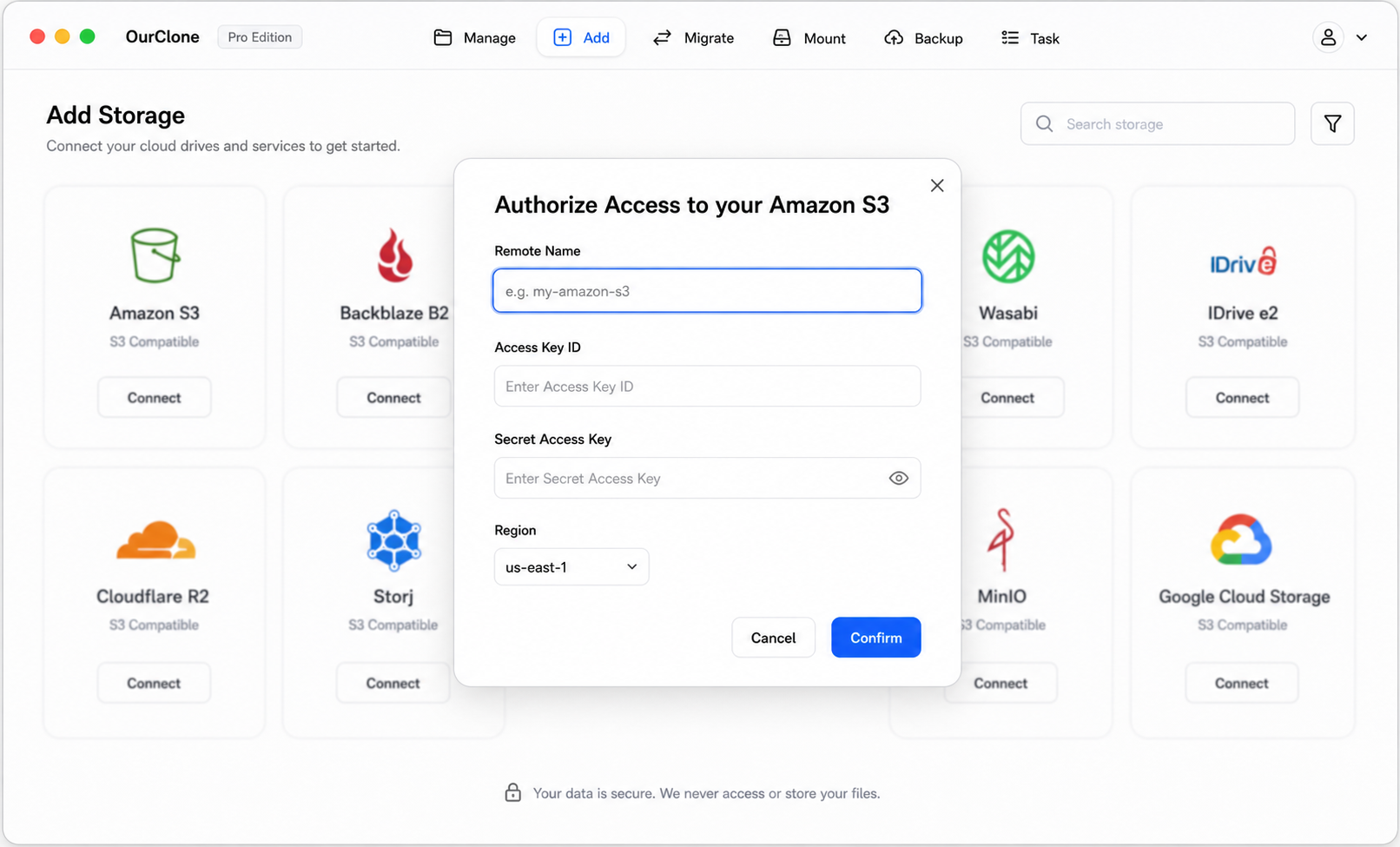
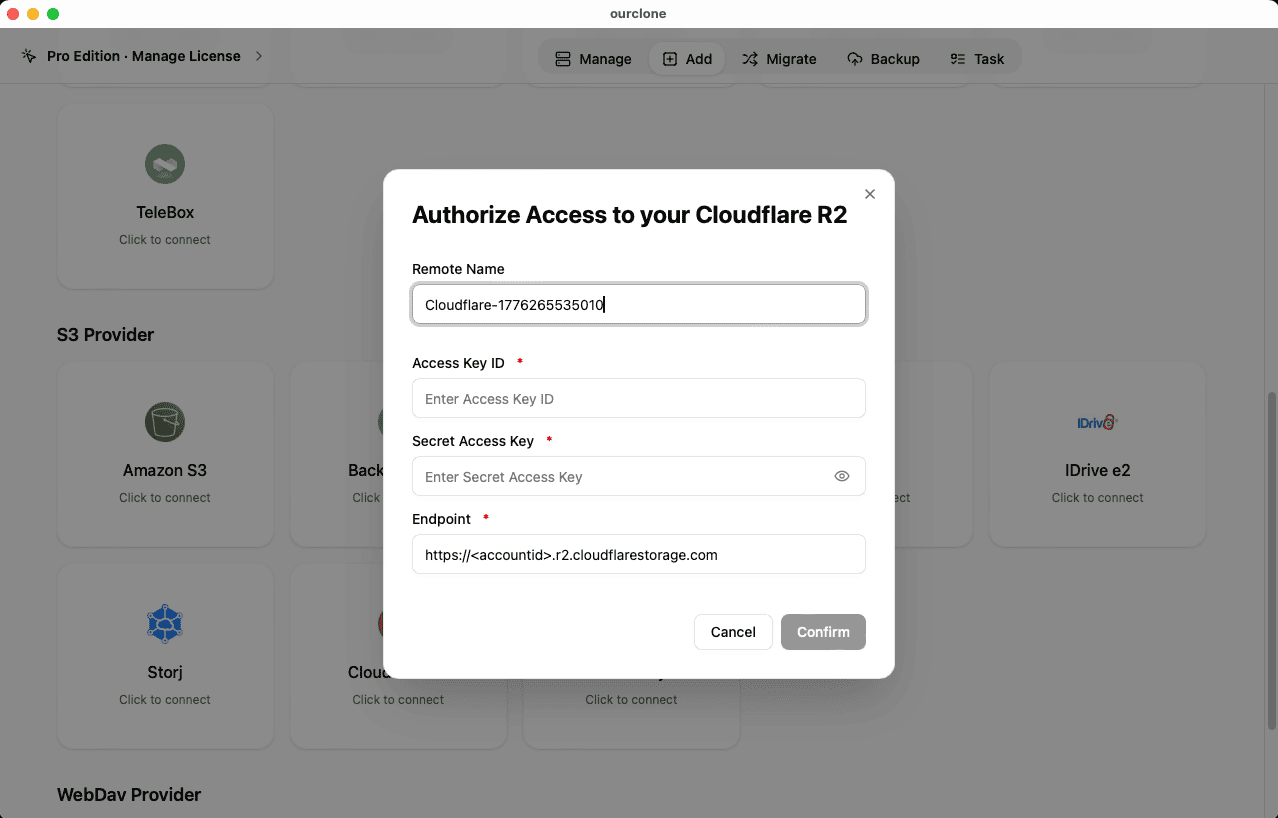
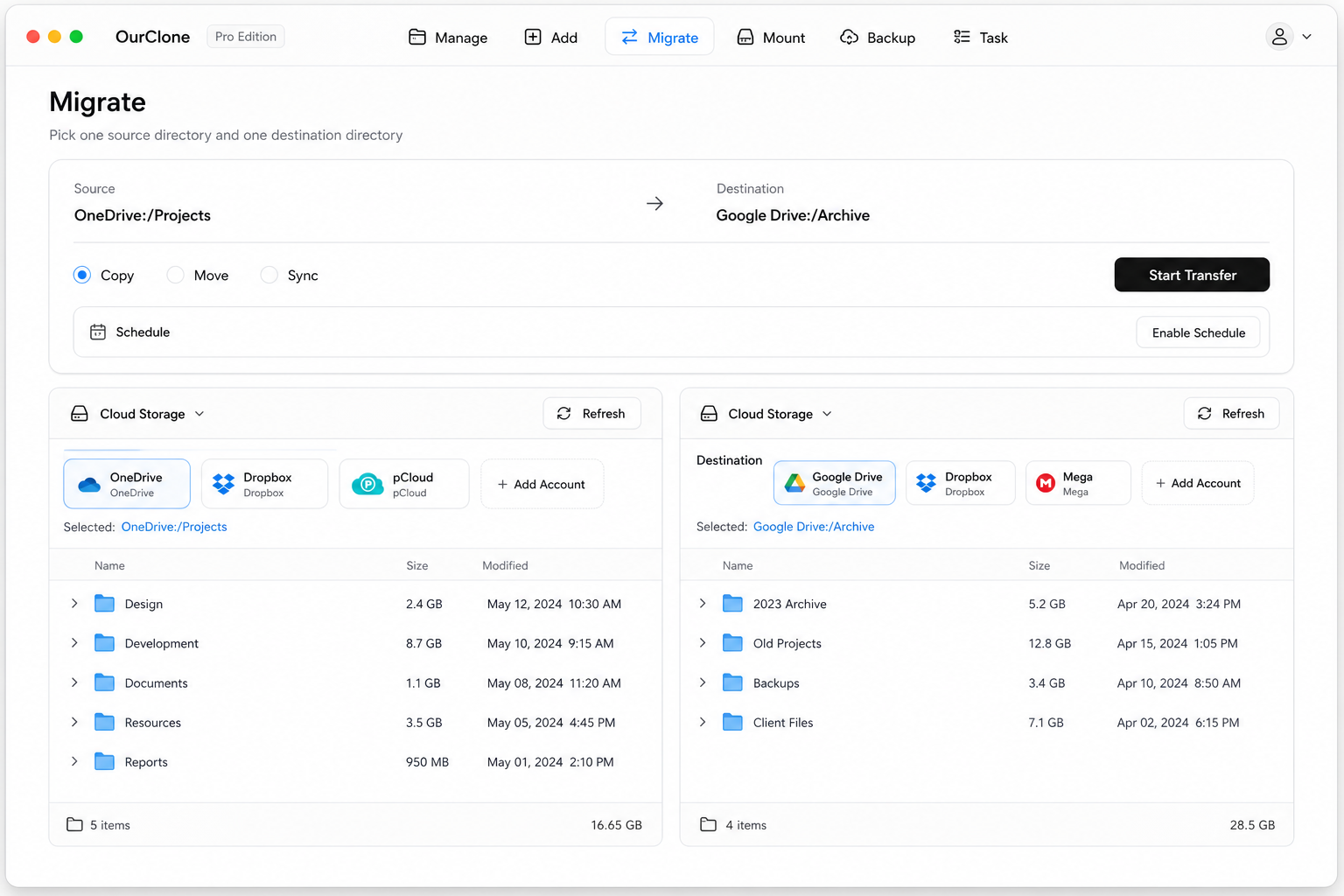
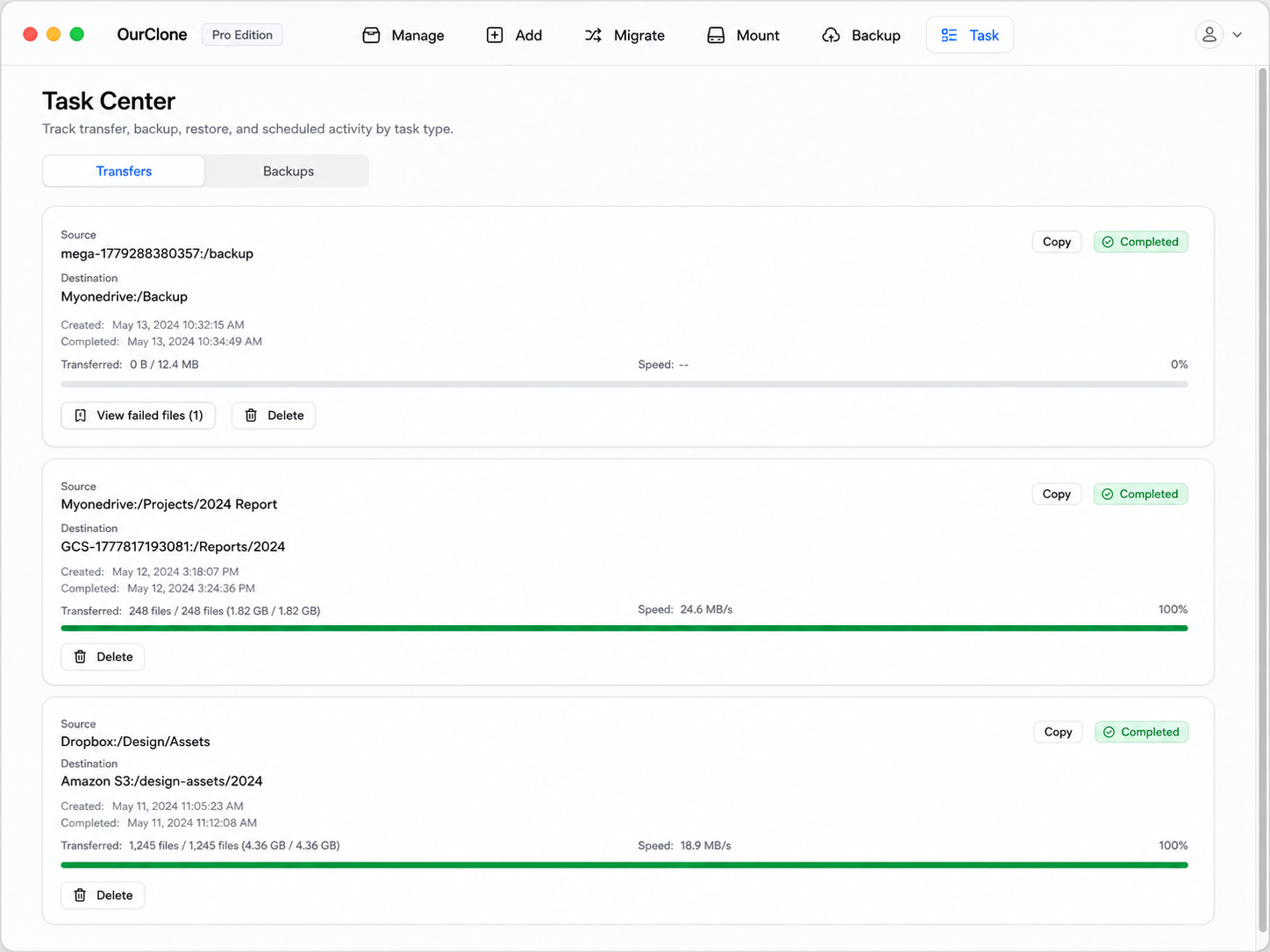
Running locally and mode-aware, OurClone lets you decide whether S3 keeps a copy — and big transfers resume after an interruption rather than restarting from zero.
Method 3: Transfer Amazon S3 to Cloudflare R2 with rclone (Command Line)
OurClone is built on rclone, so the same S3-to-R2 move scripts cleanly from a terminal — handy for automation or one-off bulk migrations.
Step 1: Install rclone
Download it from the official downloads page, or run brew install rclone on macOS.
Step 2: Configure both remotes
Run rclone config and add an s3 remote (provider AWS, with Access Key, Secret Key, region) and a Cloudflare R2 remote (provider Cloudflare, with the R2 token keys and the https://<accountid>.r2.cloudflarestorage.com endpoint). Name them s3 and r2.
Step 3: Run the transfer
Choose the verb that maps to OurClone's modes:
# Copy — keep the S3 bucket intact
rclone copy s3:assets r2:assets --progress

# Move — delete the S3 originals after transfer
rclone move s3:assets r2:assets --progress

# Sync — make R2 mirror S3 (deletes extras in R2)
rclone sync s3:assets r2:assets --progress
For example, rclone copy s3:media-library r2:media-library --progress copies your media bucket to R2 and leaves S3 untouched.
Caveats
- ⚠️
syncandmovedelete objects — confirm direction and run--dry-runfirst. - ⚠️ No GUI; progress and errors are terminal-only.
- ⚠️ You set up each remote's keys and endpoint manually — the friction OurClone removes.
Things to Watch When Moving S3 → R2
A few object-storage details specific to this pair.
- 💸 Egress is one-time pain, then gone — You'll pay S3 egress on the migration itself, but once data lives in R2 there are no more egress charges. Migrate once, cleanly.
- 🔗 Get the R2 endpoint right — R2 needs the account-specific endpoint
https://<accountid>.r2.cloudflarestorage.com; a wrong endpoint is the most common connection failure. - 🐢 No bulk download in the AWS console — The web route can't pull a whole bucket. OurClone and rclone stream object-by-object with resume.
- 🔑 Token scope — Your R2 API token needs object read/write on the target bucket; a 403 usually means the token is too narrow.
- 🧮 Metadata and ACLs — Custom S3 metadata may not map identically onto R2. Compare the Task summary rather than raw counts if something looks off.
FAQ
Will this delete my S3 objects?
Only if you choose Move. Copy leaves Amazon S3 fully intact, and Sync only removes extra objects in R2, never in S3.