Why Teams Migrate from Amazon S3 to Backblaze B2
For most people the answer is one word: cost. Amazon S3 Standard runs around $0.023 per GB each month, and its egress fees (roughly $0.09 per GB) can dwarf the storage bill itself. Backblaze B2 lists storage at about $0.006 per GB — a quarter of S3 — and is far gentler on download charges.
- 💰 Storage at a Quarter of the Price — B2's ~$6/TB/month is dramatically cheaper than S3 Standard, which adds up fast on multi-terabyte archives.
- 📤 Tamed Egress Costs — S3 egress is a budget killer. B2 includes a free download allowance (up to 3× your stored data daily) and free egress through the Bandwidth Alliance with Cloudflare.
- 🧾 Predictable Billing — B2's flat, simple pricing is easier to forecast than S3's matrix of storage classes, request tiers, and regional egress rates.
- 🔌 S3-Compatible API — B2 speaks the S3 API, so tools and workflows built for S3 — including OurClone and rclone — keep working after the move.
Amazon S3 vs Backblaze B2: What Each One Is Good At
Both are durable object stores, but they sit at opposite ends of the price-versus-ecosystem spectrum.
🟧 Amazon S3
Amazon S3 is the object storage standard the rest of the industry clones.
- 11 nines of durability and a deep menu of storage classes — Standard, Standard-IA, Glacier Instant, Flexible, and Deep Archive.
- Dozens of regions worldwide and the broadest AWS service integration.
- Storage ~$0.023/GB/month, plus per-request and egress charges that climb with usage.
- Manage keys and buckets in the AWS Console.
🟥 Backblaze B2
Backblaze B2 is the low-cost, no-nonsense alternative built for backup and archive.
- Storage around $0.006/GB/month — roughly a quarter of S3 Standard.
- Generous free egress allowance and free downloads via the Cloudflare Bandwidth Alliance.
- Both a native B2 API and an S3-compatible endpoint.
- Simple, flat pricing with no storage-class juggling.
Method 1: Download from Amazon S3 and Upload to Backblaze B2 by Hand
You can move objects manually through each provider's web console — but be warned, the AWS Console doesn't do bulk folder downloads, so this route is genuinely painful past a handful of files.
- 📥 Download from Amazon S3 — In the AWS S3 Console, open your bucket, select objects, and download them to a folder like
~/Downloads/s3-export. The console downloads files one selection at a time — there's no native "download whole bucket" button. - 📤 Upload to Backblaze B2 — Sign in to the Backblaze web app, open your B2 bucket, and drag the downloaded files in.
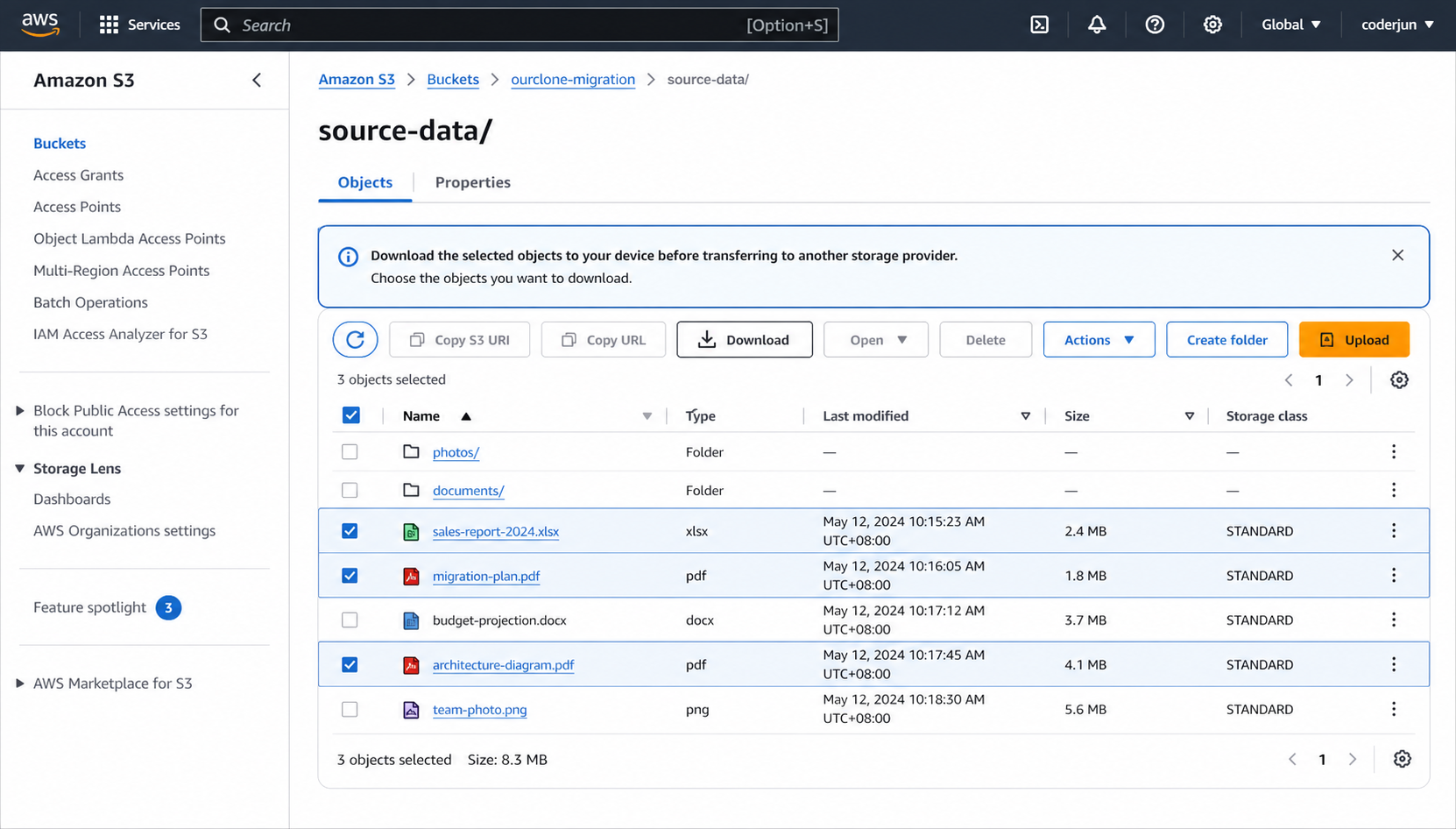
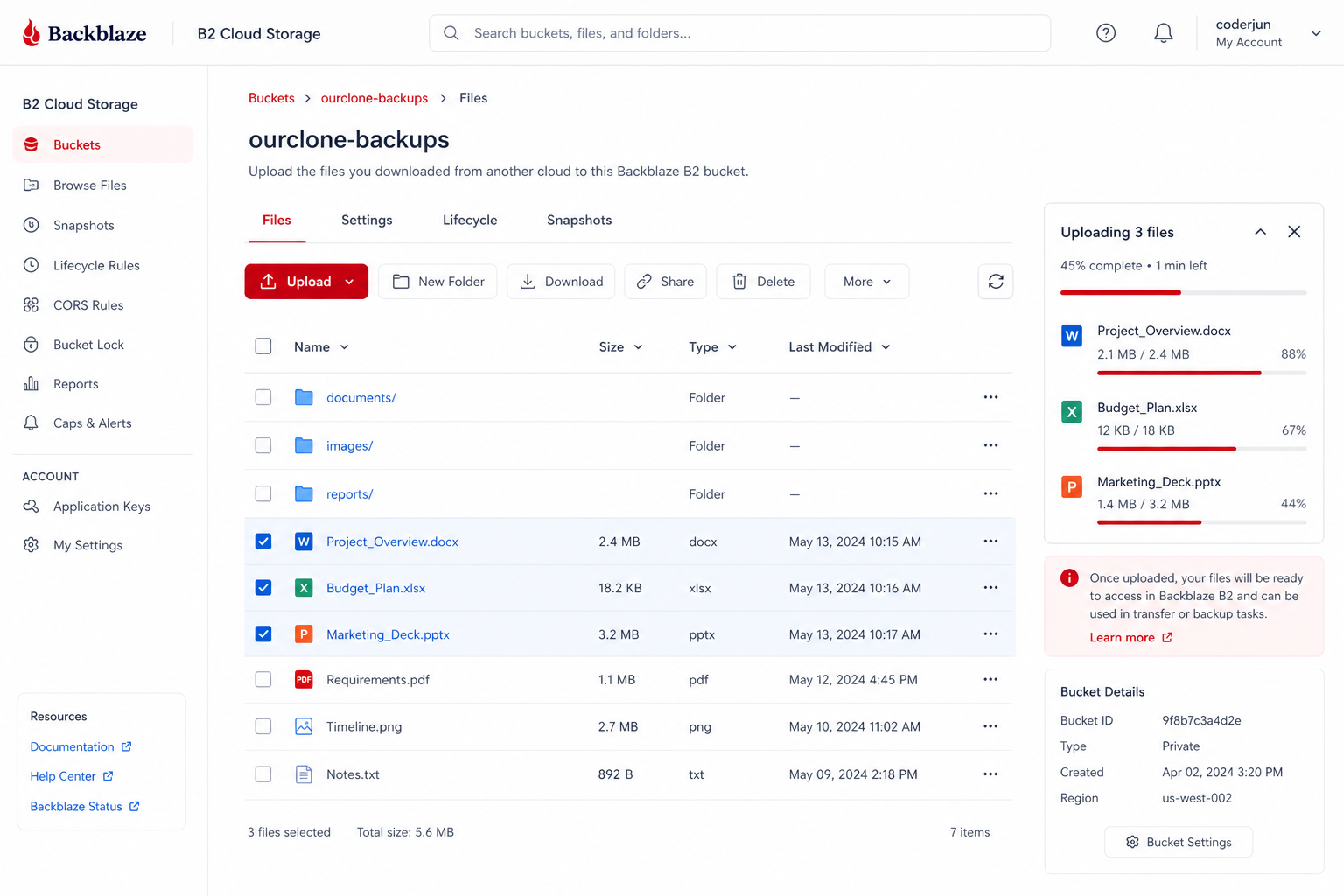
For a few objects it works, but there's no resume, no folder-level download from S3, and you pay full S3 egress on everything you pull. That egress hit alone is why most people skip straight to Method 2.
Method 2: Transfer Amazon S3 to Backblaze B2 with OurClone
OurClone moves objects from Amazon S3 to Backblaze B2 directly through your Mac, with live progress and no third-party relay. The flow is three steps: add the source, add the target, run the migration.
- 🔐 Step 1: Add Amazon S3 as the Source — In OurClone open
Add Storageand choose Amazon S3 from the S3 list. Set a Remote Name, then enter your Access Key ID and Secret Access Key (create these under Security Credentials in the AWS Console) and pick your bucket's Region (e.g.us-east-1). OurClone verifies and adds it. - 🔐 Step 2: Add Backblaze B2 as the Destination — Still in
Add Storage, choose Backblaze B2. Set a Remote Name, then enter your Account ID (the keyID) and Account Key (the applicationKey) — create these under App Keys in the Backblaze console. The Endpoint is optional. B2 then joins S3 in your storage list. - 🔀 Step 3: Set Source, Target and Mode on the Migrate Page — Open the
Migratetab. Pick Amazon S3 and browse to the bucket or prefix to move, then pick Backblaze B2 and choose (or create) the destination bucket. Select a transfer mode:- Copy — duplicates objects to B2; nothing is deleted from Amazon S3.
- Move — transfers to B2, then deletes the originals from Amazon S3.
- Sync — makes B2 mirror S3; extra objects in B2 are removed, but Amazon S3 is left untouched.
- 📊 Watch Progress and Confirm — The
Taskpanel shows live counts, speed, ETA, and any failed objects. When it reads completed, open Backblaze B2 in OurClone (or the Backblaze web app) to confirm everything arrived. If you chose Move, verify the S3 bucket no longer holds the originals.
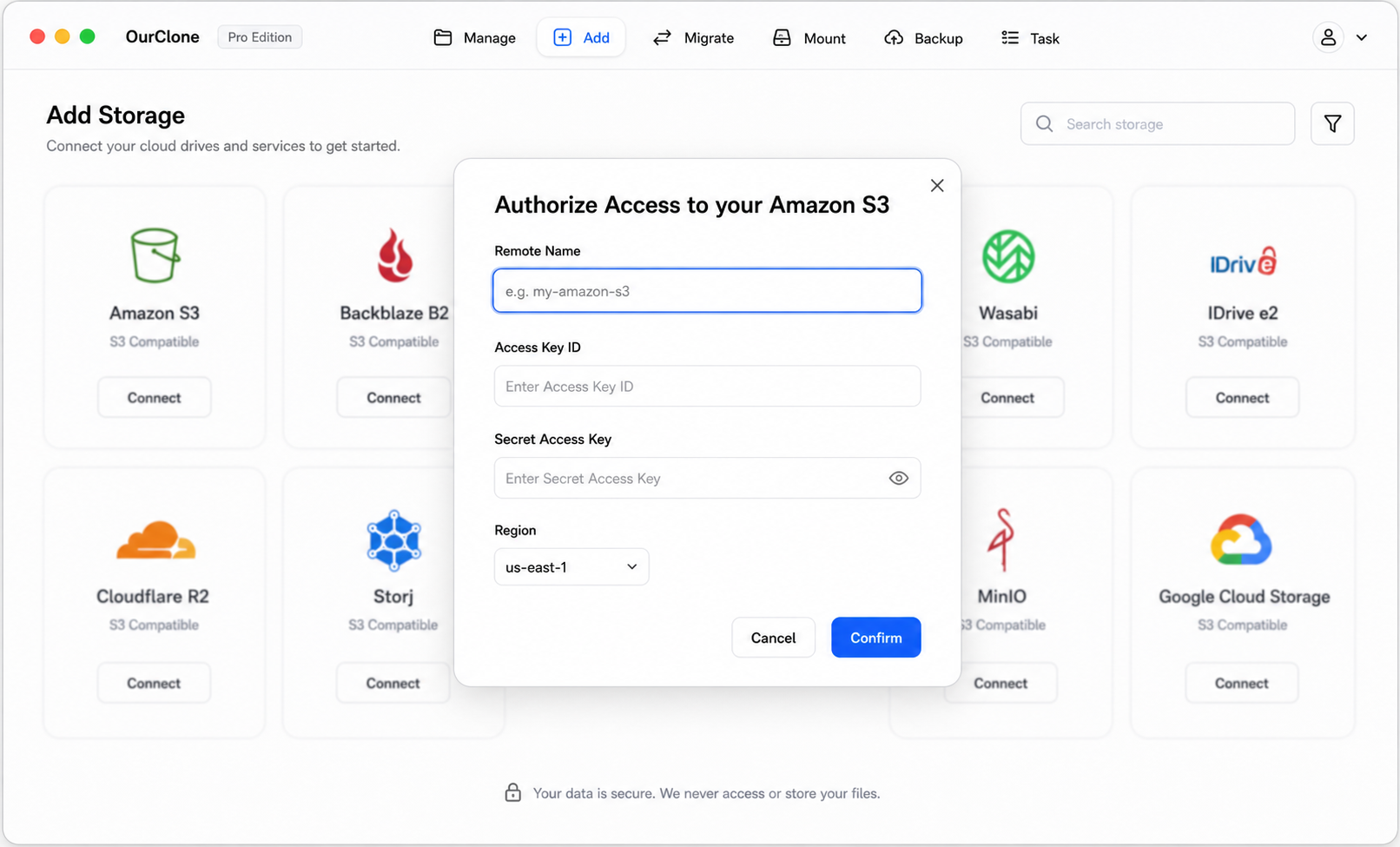
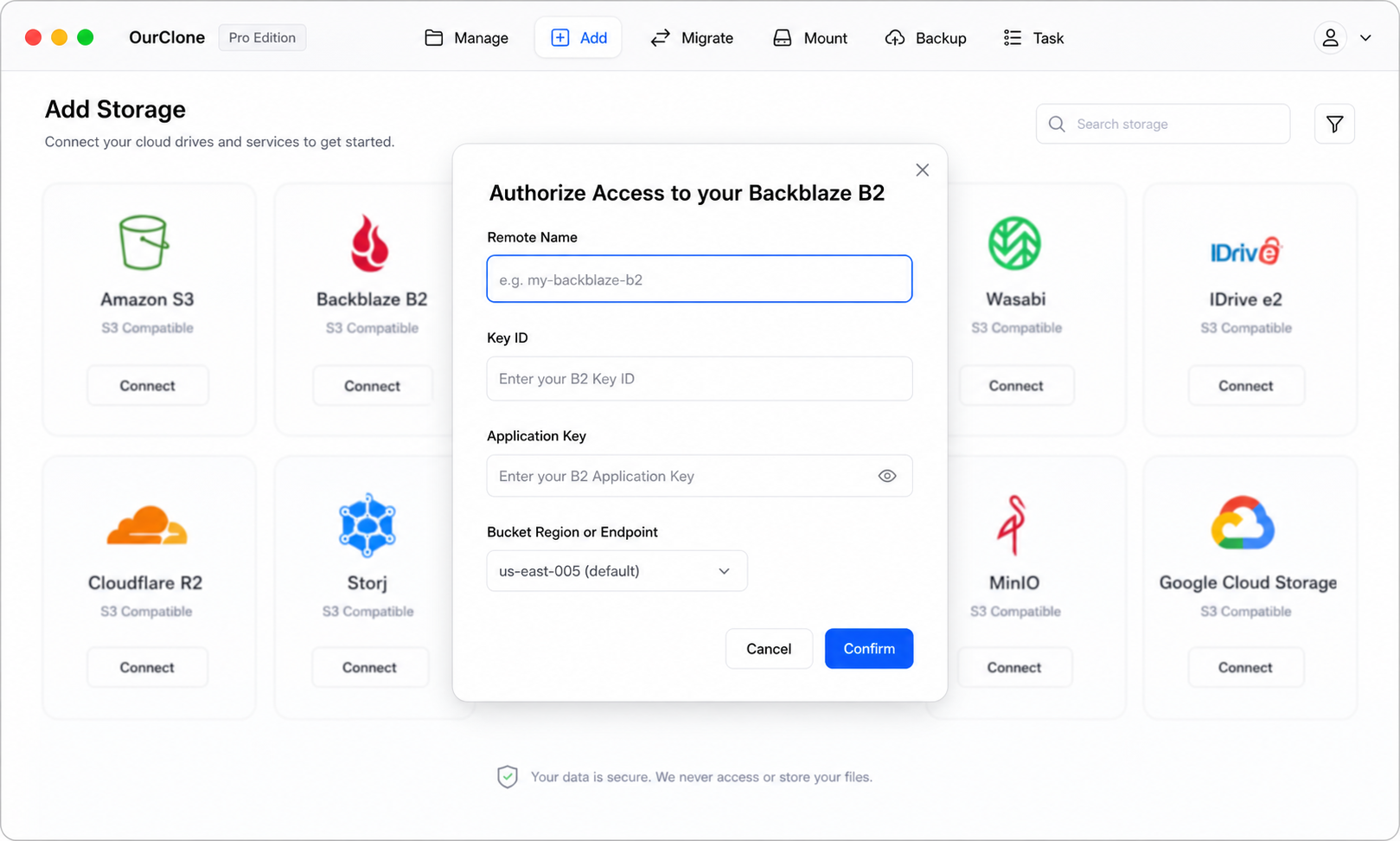
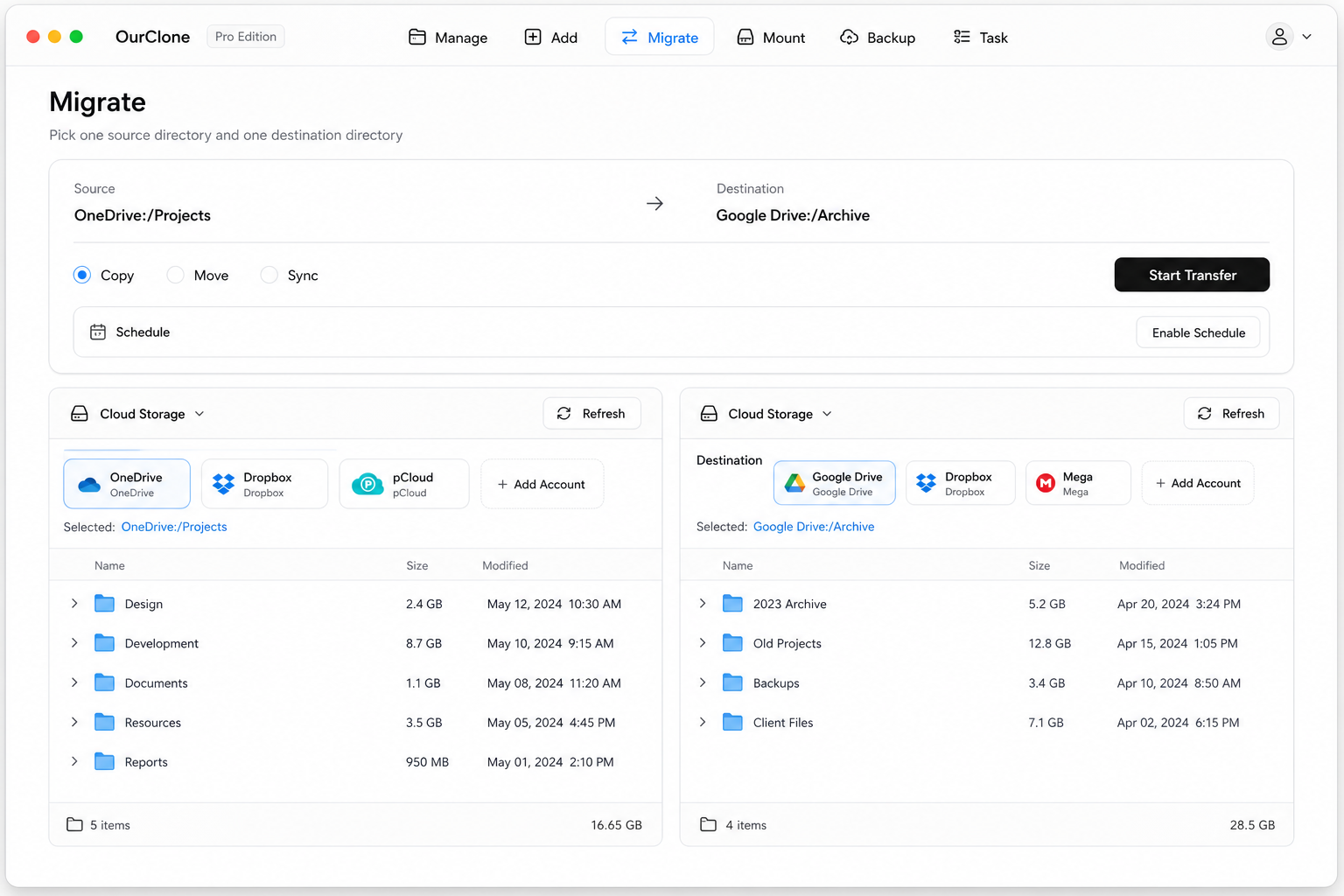
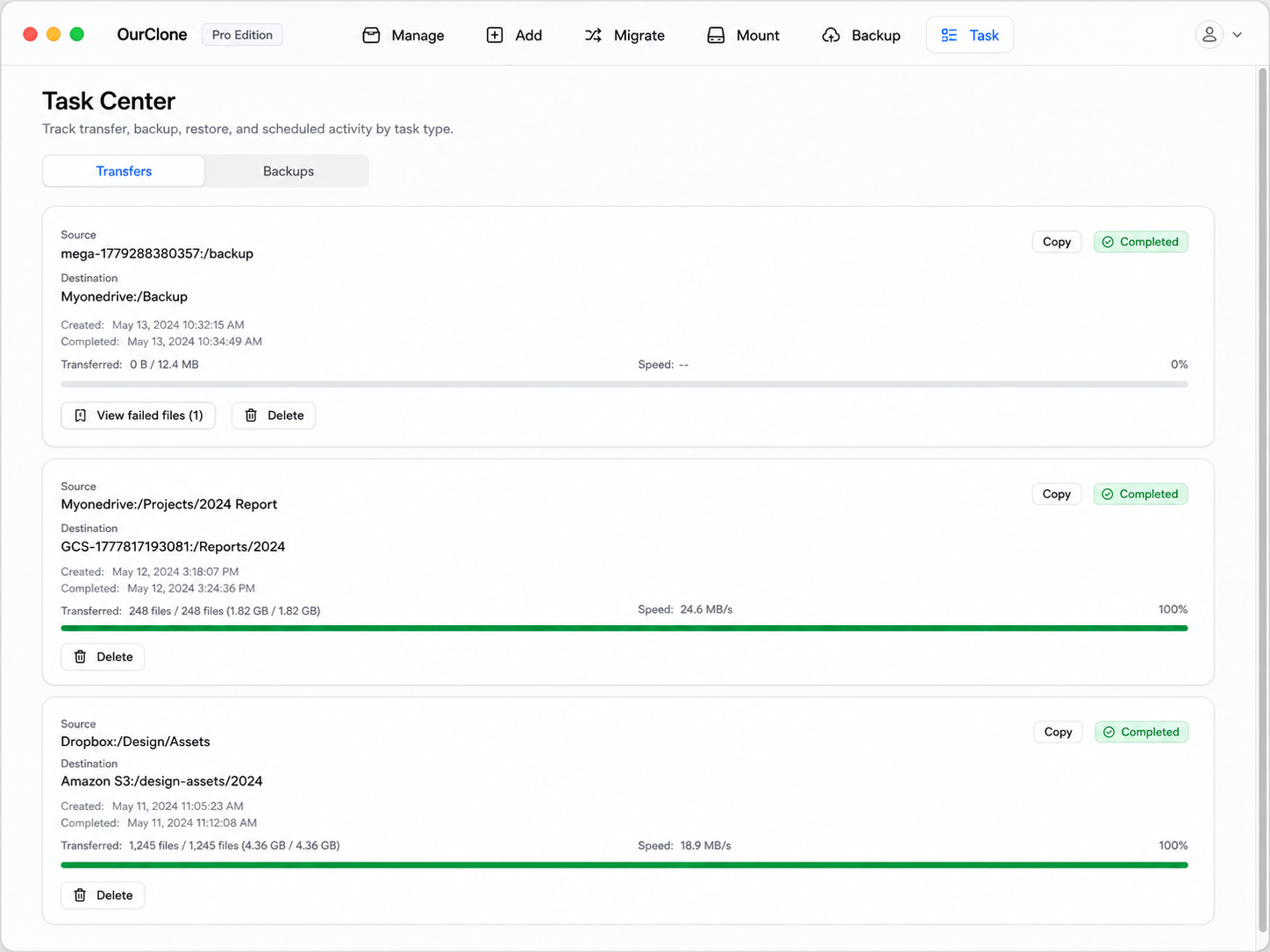
Because the transfer streams through your Mac and respects the mode you pick, you control whether S3 keeps its copy — and a multi-terabyte migration resumes after any interruption instead of starting over.
Method 3: Transfer Amazon S3 to Backblaze B2 with rclone (Command Line)
OurClone is built on rclone, so if you live on the command line you can script the S3-to-B2 move — ideal for automation and large, repeatable migrations.
Step 1: Install rclone
Grab it from the official downloads page, or run brew install rclone on macOS.
Step 2: Configure both remotes
Run rclone config and add an s3 remote (provider AWS, with your Access Key, Secret Key, and region) and a b2 remote (with your keyID and applicationKey). Name them s3 and b2.
Step 3: Run the transfer
Pick the verb that maps to OurClone's modes:
# Copy — keep the S3 bucket intact
rclone copy s3:my-bucket b2:my-bucket --progress

# Move — delete the S3 originals after transfer
rclone move s3:my-bucket b2:my-bucket --progress

# Sync — make B2 mirror S3 (deletes extras in B2)
rclone sync s3:my-bucket b2:my-bucket --progress
For example, rclone copy s3:prod-assets b2:prod-assets --progress copies the prod-assets bucket to B2 while leaving S3 untouched.
Caveats
- ⚠️
syncandmovedelete objects — confirm the direction and run--dry-runfirst. - ⚠️ No GUI; progress and errors are terminal-only.
- ⚠️ Each remote's keys must be configured by hand — the friction OurClone removes.
Common Amazon S3 → Backblaze B2 Migration Issues
Bucket-to-bucket moves are usually smooth, but a few object-storage specifics are worth knowing.
- 💸 Watch the S3 egress bill — Every byte you pull out of S3 incurs egress charges, no matter which method you use. Migrate once, cleanly, rather than re-running half-finished jobs.
- 🐢 No bulk download in the AWS console — The web console can't download a whole bucket, which is why the manual route doesn't scale. OurClone and rclone stream object-by-object with resume.
- 🔑 Key permissions — Your S3 key needs read access (and list); your B2 key needs write. A 403 mid-transfer usually means a missing IAM or B2 capability.
- 🗂️ Storage class on arrival — Objects land in B2's standard storage; S3 Glacier objects must be restored to a readable tier before they can be copied.
- 🧮 Object counts and metadata — Custom S3 metadata and ACLs don't always map one-to-one onto B2. Check the Task panel's failed-object list if counts look off.
FAQ
Will this delete my S3 objects?
Only if you choose Move. Copy leaves Amazon S3 fully intact, and Sync only removes extra objects in B2, never in S3.
Do I keep paying AWS after the move?
Yes, until you delete the S3 objects and buckets yourself. Confirm everything landed in B2 first, then clean up S3 to stop the charges.
Which Method Fits Your Migration?
| What matters | Manual Console | OurClone | rclone CLI |
|---|---|---|---|
| Handles whole buckets | ❌ One selection at a time | ✅ Entire bucket/prefix | ✅ Entire bucket/prefix |
| Resume after interruption | ❌ | ✅ | ✅ |
| Copy / Move / Sync modes | ❌ | ✅ | ✅ |
| Ease of setup | ✅ No install | ✅ Key-based GUI | 🛠 Manual config |
| Live progress | ❌ | ✅ Task panel | 📉 Console |