What Jottacloud's Own Encryption Covers
Jottacloud is a Norwegian cloud with a strong privacy reputation: data is stored in Norway and the company operates under Norwegian and European privacy law. Its encryption, though, is the server-side kind — it protects files on the way and on the disks, not from Jottacloud itself.
- 🔒 Encrypted in transit and at rest — Jottacloud encrypts the connection and the stored data, but it manages those keys on its side.
- 🖼️ The service can read your files — that's what makes thumbnails, photo timelines, previews and search work in the Jottacloud apps.
- 🎣 A stolen login exposes everything — if your Jottacloud password or a login token leaks, every file in the account is readable. Ciphertext stays useless without your vault password.
- 🧳 Privacy law isn't a key — strong jurisdiction limits who may ask for your data; it doesn't make the data unreadable to the provider.
- 📁 Some files deserve more — tax returns, ID scans, contracts and medical records are exactly the files worth encrypting yourself, whatever cloud they live in.
What OurClone's Encrypted Vault Actually Does
OurClone's Encrypted Remote wraps your Jottacloud account in a password-only encryption layer, on a folder you choose.
- 🔐 Encrypted before upload — files are encrypted on your computer; Jottacloud only ever receives ciphertext.
- 🕵️ File names hidden too — names and contents are both encrypted; the vault folder in Jottacloud's web app shows only scrambled text.
- 🔑 Your password is the only key — it never leaves your device, and OurClone keeps no recovery copy.
- 🧰 Open format, not lock-in — built on rclone crypt, an open and documented standard that isn't tied to Jottacloud or to OurClone.
- 📁 One folder, not the whole account — the vault lives in a folder you pick; everything else on Jottacloud stays untouched.
- ⚙️ Behaves like a normal remote — transfer into it, sync it, mount it, or use it as a backup destination.
The Encrypted Remote is an OurClone Pro feature. One boundary: a vault always wraps a plain remote — you can't build a vault on top of another vault.
How to Create an Encrypted Vault on Jottacloud
From a fresh install to an encrypted first upload, this takes a few minutes. The steps are the same on macOS and Windows.
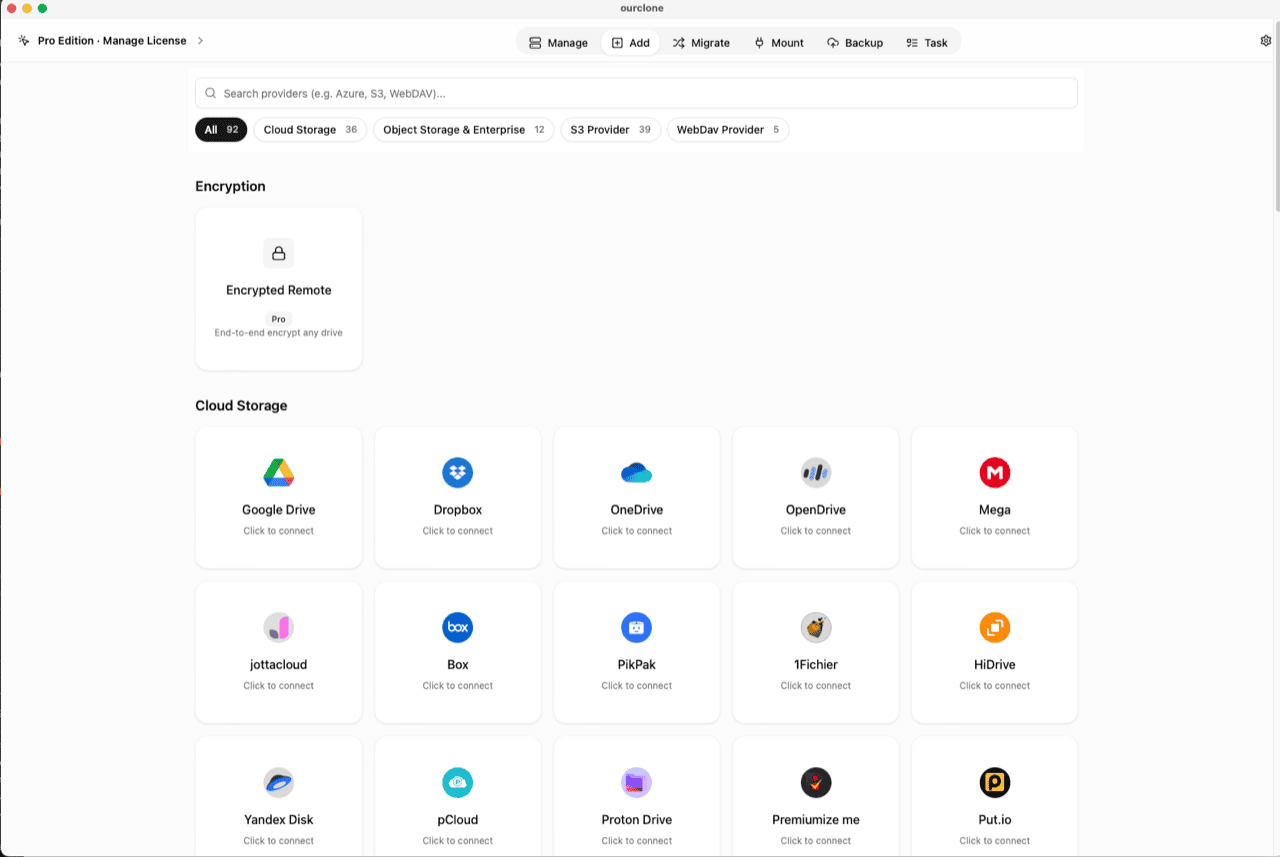
- 🔗 Connect Jottacloud With a Login Token — Jottacloud connects with a personal login token instead of a browser sign-in. On the Jottacloud website, open your account settings, go to Security, and generate a Personal login token. In OurClone, open the
Addtab, search for jottacloud, pick its card, give the connection a name and paste the token into Login Token. If Jottacloud is already connected for backups or transfers, skip ahead. - 🧭 Open the Encryption Category — In the
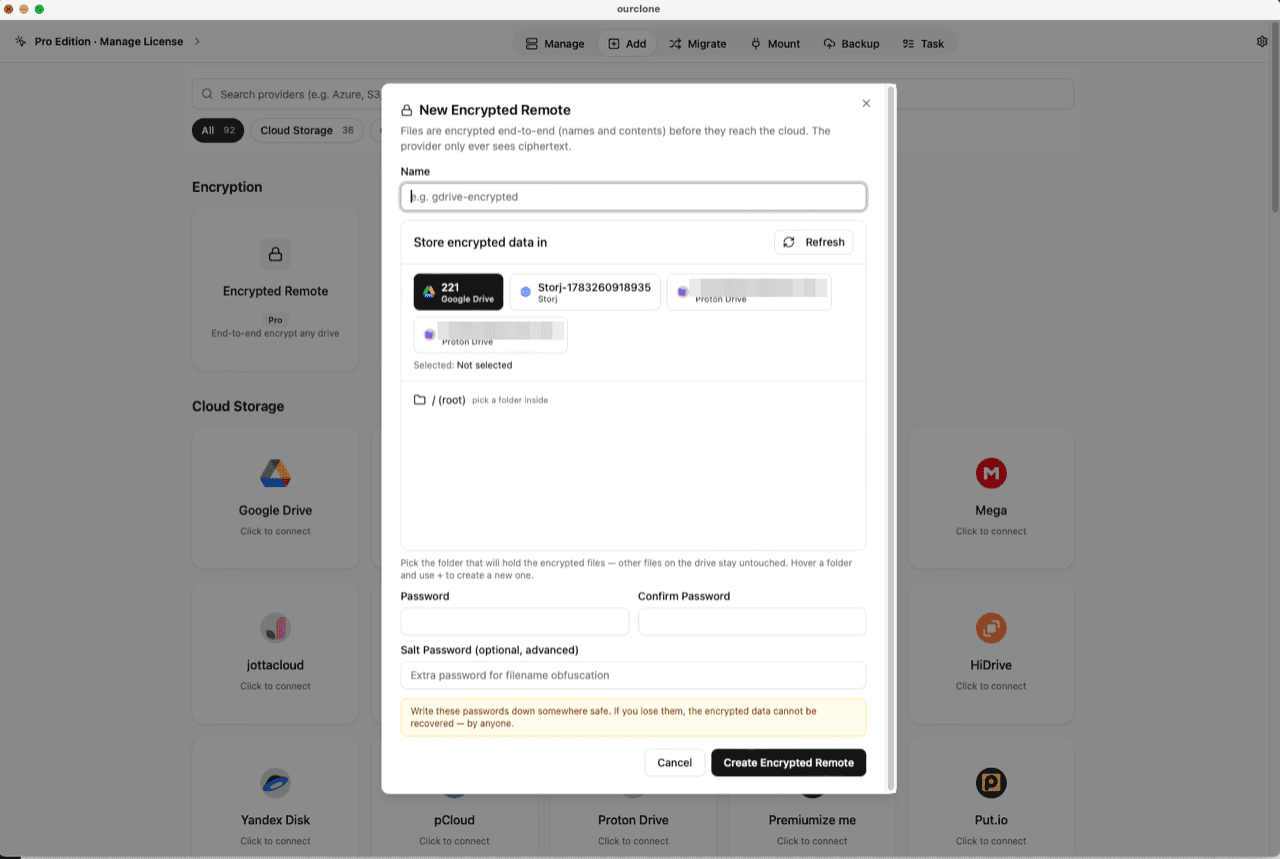
Addpage, the Encryption section sits above the provider grid. Click the Encrypted Remote card (marked Pro). - 🛠️ Create the Vault — Name it (e.g.
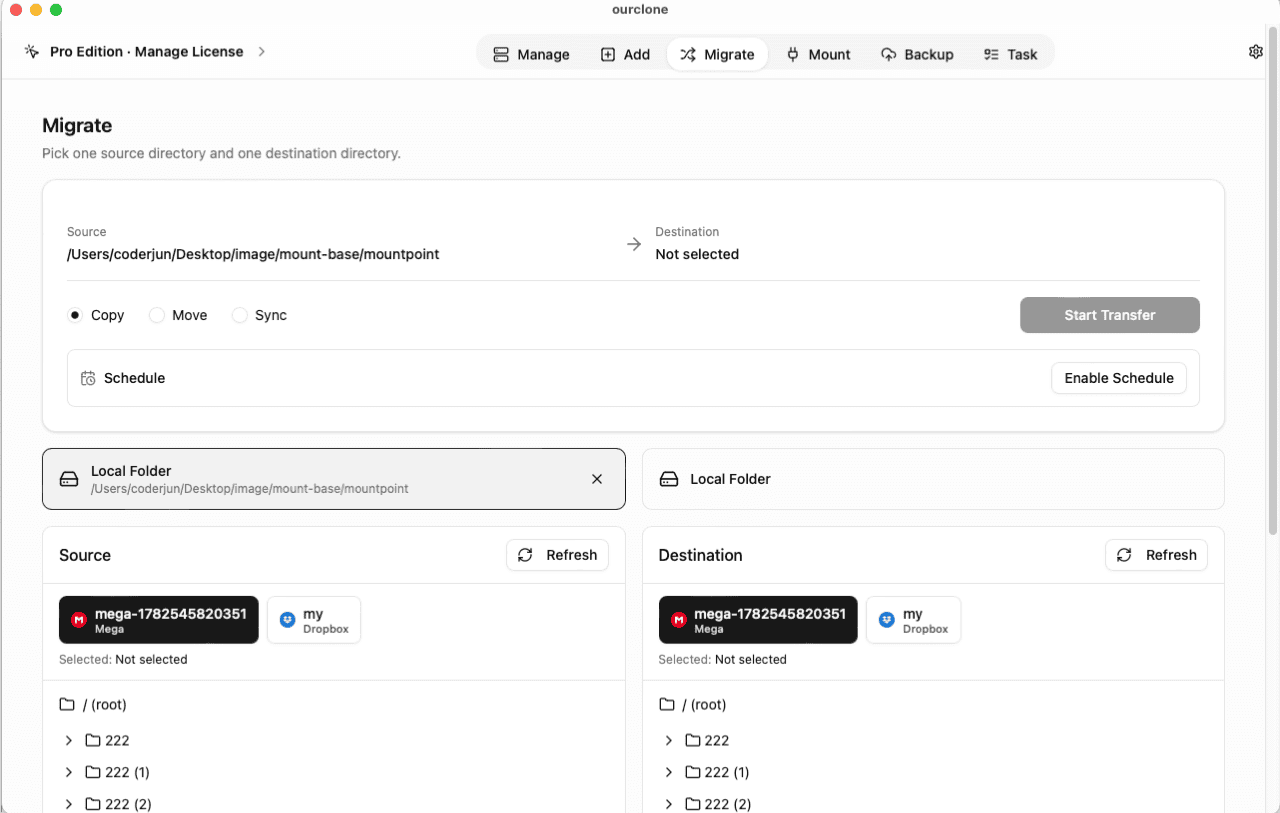
jottacloud-encrypted), pick your Jottacloud account as the base storage, then choose or create a folder inside it — the vault must live in a folder, not the drive root, and only that folder will hold encrypted data. Set your password (and an optional salt password for extra filename obfuscation), then click Create Encrypted Remote. - 📦 Move Files Into the Vault — Open
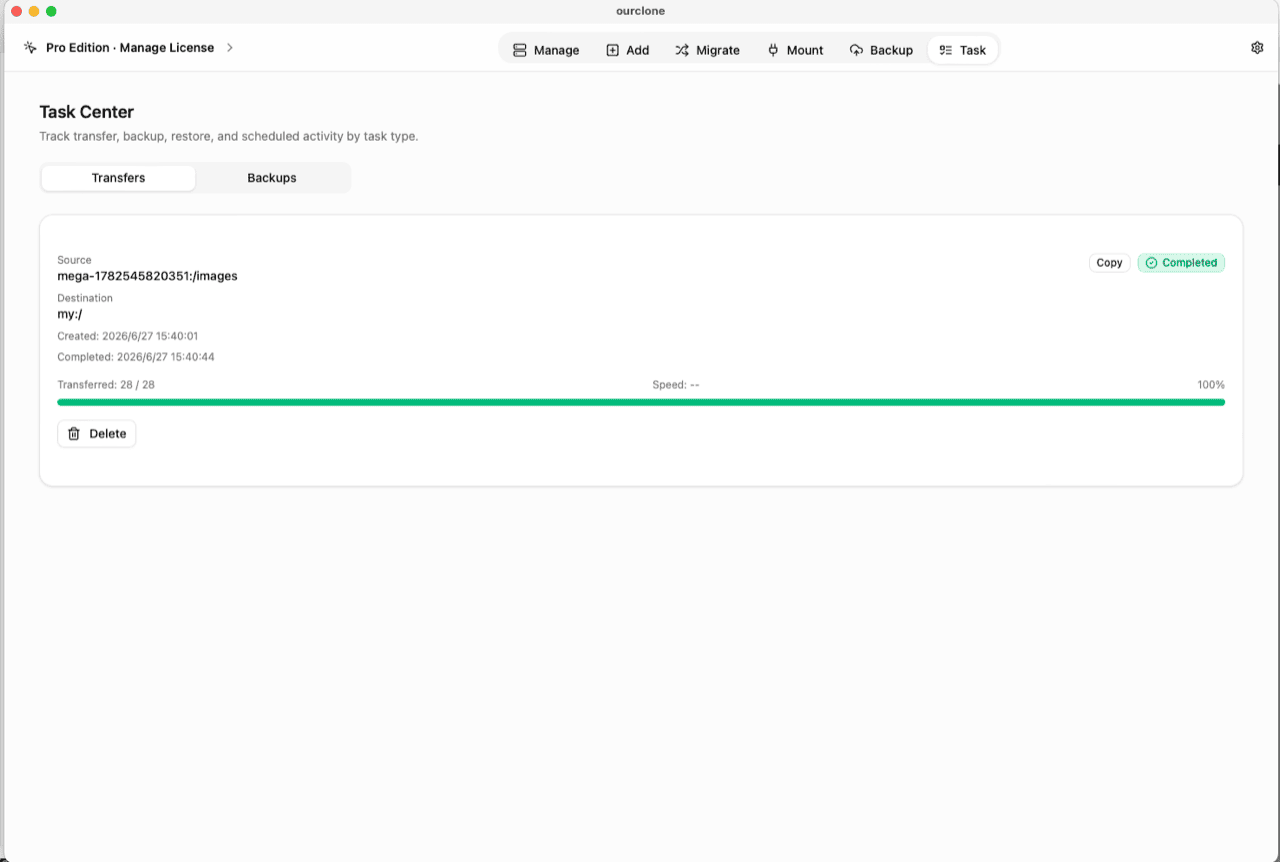
Migrate, choose a local folder (or another cloud) as the source and the vault as the destination, then run a copy, move, or sync. Files are encrypted on the fly as they upload. - 📊 Watch It in the Task Center — The
Tasktab shows live progress, speed and any failed files, and history survives app restarts.
Before trusting the vault with anything important, save the password in a password manager — if it's lost, the data cannot be recovered by anyone.
Check What Jottacloud Can See Now
Sign in to the Jottacloud web app and browse into your vault folder. The files carry scrambled names, thumbnails and previews don't render, and opening one shows noise — Jottacloud is storing bytes it cannot interpret. Encrypted files also stay out of Jottacloud's photo timeline, so keep everyday photos you want to browse there outside the vault.
In OurClone, the vault shows a lock badge, and the Manage page lists your real file names — decrypted locally on your machine. You can also mount Jottacloud, or the vault itself, as a local drive to browse in Finder or File Explorer (no extra driver on macOS; Windows needs WinFsp).
Frequently Asked Questions
Is the encrypted vault free?
The vault is an OurClone Pro feature. Connecting Jottacloud, transfers and backups work on the free plan within its limits; see pricing.
How is this different from Jottacloud's own encryption?
Jottacloud encrypts data in transit and on its servers, with keys it manages — protection against outsiders, not against the provider or a stolen login. The vault encrypts on your device first, with a key only you hold, so the files in that folder are unreadable on Jottacloud's side.
What if I forget the vault password?
The data is permanently unreadable. No reset exists — store the password in a password manager.
What is the salt password?
An optional second password that strengthens file-name obfuscation. If set, it's required alongside the main password to read the vault — guard both equally.
Can I keep using the rest of my Jottacloud normally?
Yes. The Jottacloud apps, photo backup and sharing keep working everywhere outside the vault folder — the vault claims only the folder you chose.
Can I open the vault from another computer?
Yes — install OurClone, connect the same Jottacloud account with a login token, and add an Encrypted Remote pointing at the same folder with the same password (and salt, if set).