What Is Nextcloud?
Nextcloud is an open-source file sync and collaboration platform that can be self-hosted or provided by a hosting company. OurClone connects to Nextcloud for sync, transfer, backup, and mount workflows.
Official website: https://nextcloud.com/
- Excellent fit for self-hosted or organization-controlled cloud storage.
- Uses WebDAV connection details.
- Works well when you want to combine private cloud storage with OurClone encrypted backup snapshots.
What OurClone Supports for Nextcloud
| Operation | How it works in OurClone |
|---|---|
| Sync | Keep a folder on Nextcloud synchronized with another cloud storage account or a local folder. OurClone compares file changes and updates only what needs to change. |
| Transfer | Copy or move files between Nextcloud, your Mac, and other connected cloud providers. Transfers run through your local computer, so you stay in control of the data path. |
| Backup | Create an encrypted backup repository on Nextcloud, then save snapshots of local folders. Later snapshots are incremental, so unchanged files do not need to be uploaded again. |
| Mount | Mount Nextcloud as a local directory in macOS or Windows, then browse and manage remote files from the operating system file manager. |
Nextcloud Upload and Download Limits
These limits come from the storage provider or protocol, not from OurClone. OurClone still has to respect provider file-size caps, API quotas, bandwidth rules, account storage quota, and server-side throttling.
| Upload limits | No fixed public per-file upload limit was found in the provider documentation checked for this page. Practical limits depend on account storage quota, provider API throttling, file path rules, and network reliability. |
| Download limits | No fixed public download cap was found in the provider documentation checked for this page. Downloads may still be limited by bandwidth policy, sharing limits, API rate limits, or server configuration. |
| OurClone tip | For large OurClone sync, transfer, backup, or mount jobs, start with a small test folder, keep the computer awake, and check the Task log for provider throttling or quota errors. |
How to Add Nextcloud in OurClone
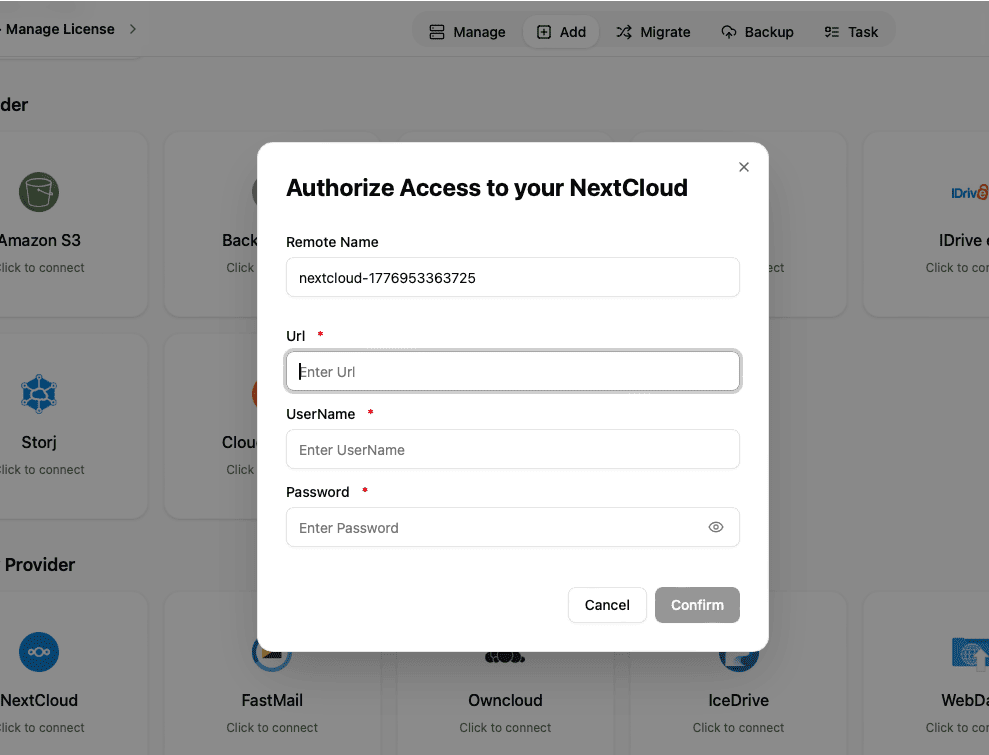
Nextcloud is added through WebDAV-compatible connection settings in OurClone.
- Open Nextcloud in your browser and find the WebDAV address for your account or server.
- In OurClone, open Add Storage and select Nextcloud or WebDAV.
- Enter the WebDAV URL, username, and password. The URL is commonly https://your-nextcloud.example/remote.php/dav/files/username/.
- Connect and confirm that Nextcloud appears in your storage list.
Sync and Transfer Workflow
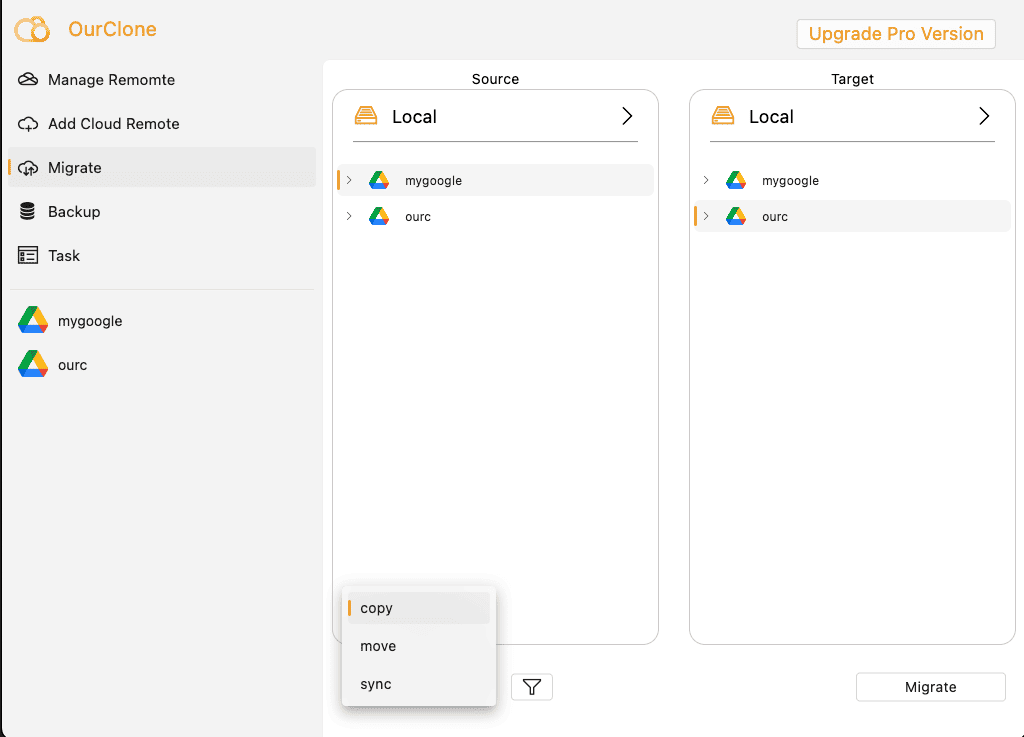
After Nextcloud is connected, open the Migrate area in OurClone. Choose Nextcloud as the source or destination, select the folders you want to work with, then choose the task mode.
- Copy duplicates files while keeping the source unchanged.
- Move transfers files and removes them from the source after completion.
- Sync keeps the destination aligned with the source folder.
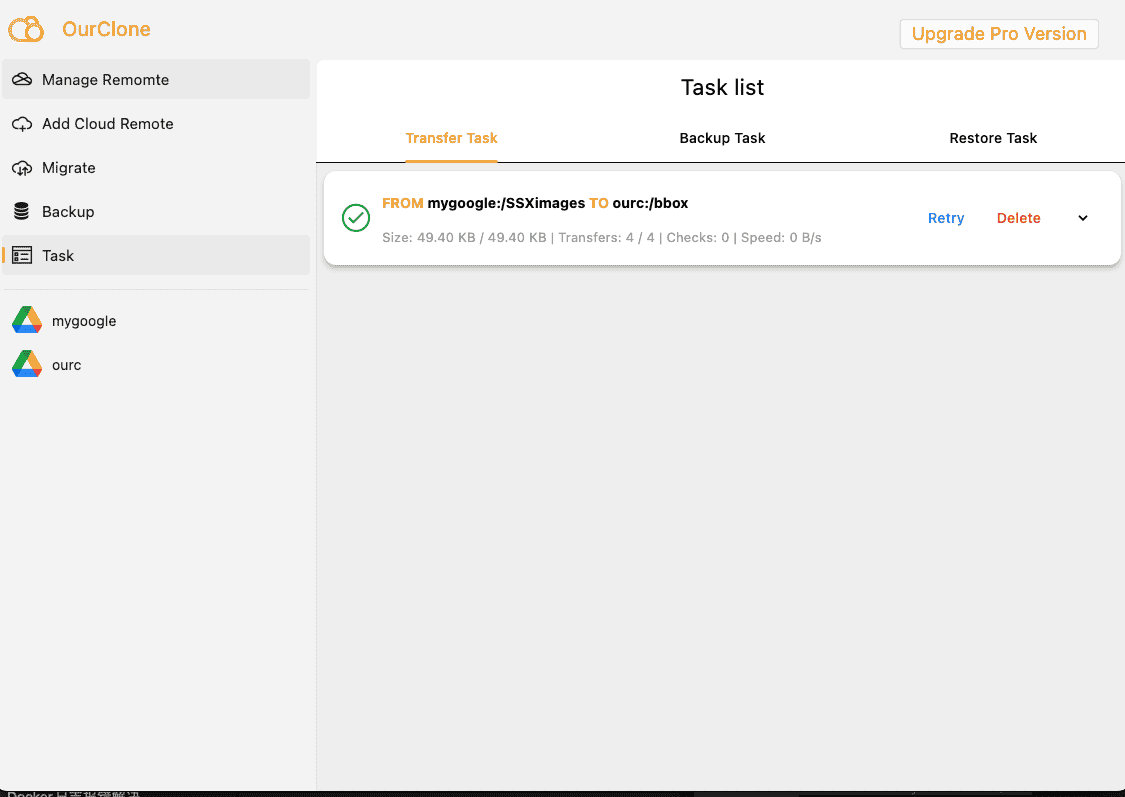
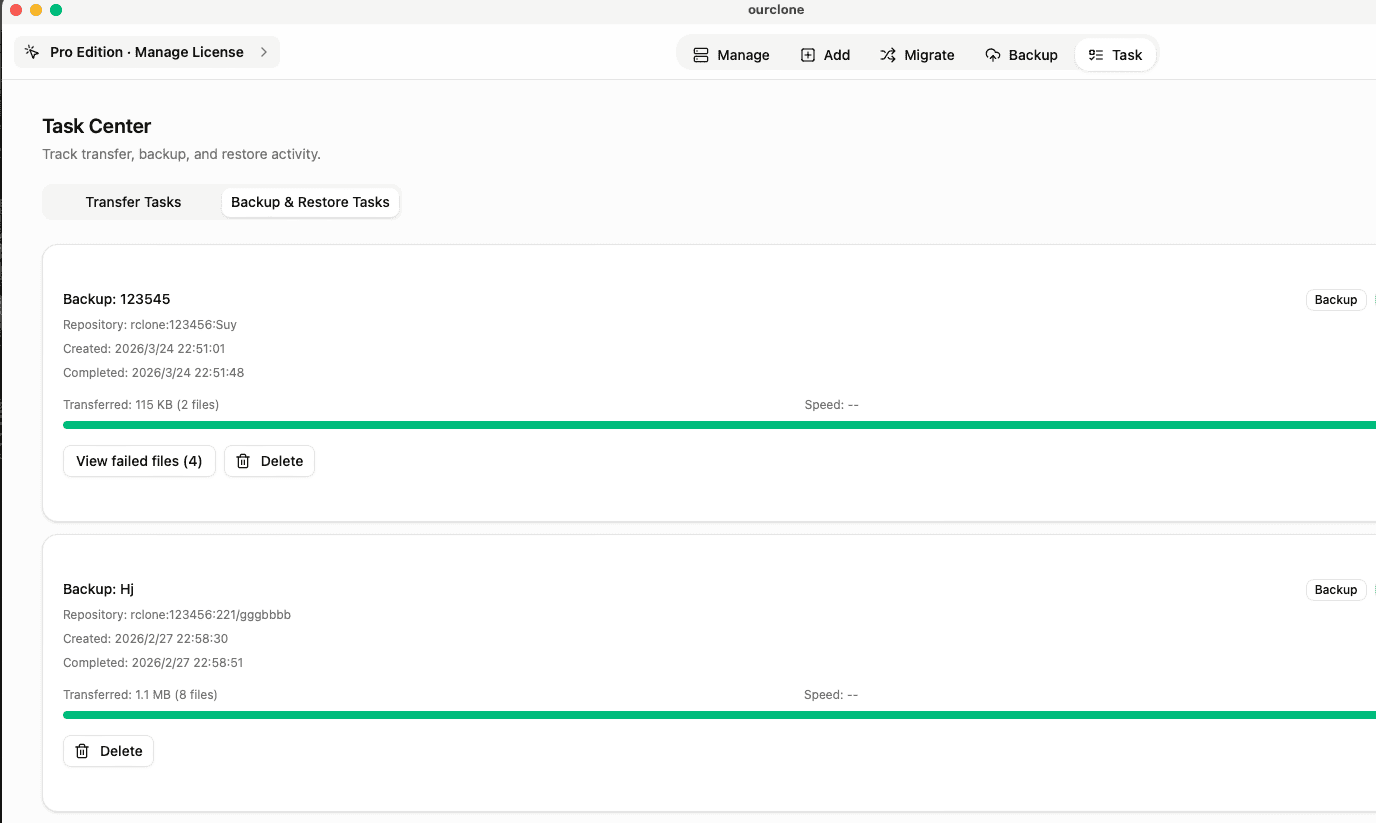
Task progress is visible in the Task tab, including completed, skipped, and failed files.
Backup Workflow
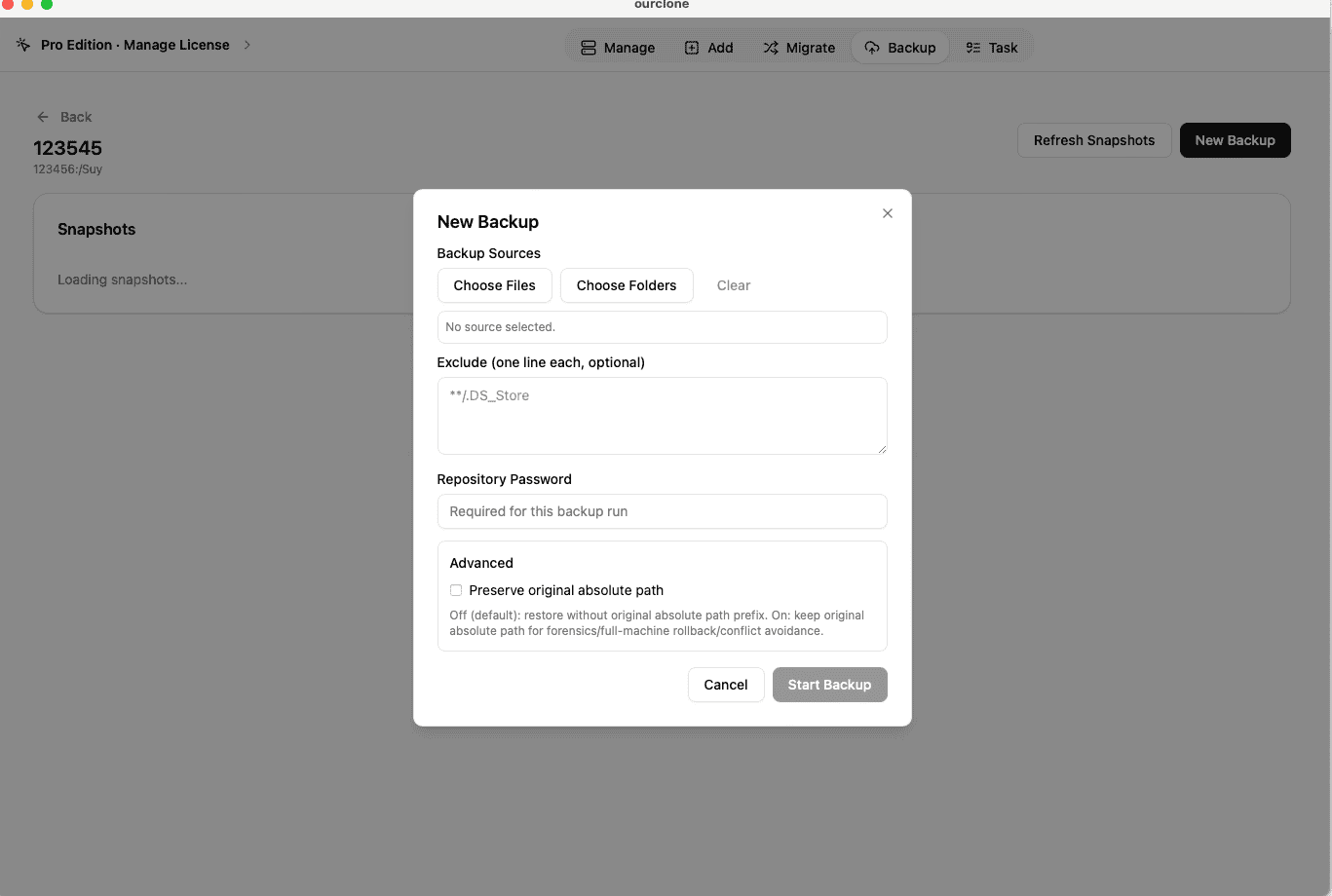
For backups, first create a backup repository on Nextcloud. A repository needs a name, a storage path, and an encryption password. Keep this password safe because it is required for both future snapshots and restores.
- Open Backup and create or choose a repository on Nextcloud.
- Open the repository and click New Backup.
- Select local folders such as
~/Documents,~/Pictures, or a project folder. - Start the snapshot. The first run uploads the full selection; later runs are incremental.
- Use Restore from a backup record when you need to recover files to a local directory.
Mount Nextcloud as a Local Folder
OurClone can mount Nextcloud as a local operating-system directory. This is useful when you want to browse cloud files in Finder or File Explorer, open files from desktop apps, or copy files with the same habits you use for local folders.
- Open the mount area in OurClone and select your connected Nextcloud account.
- Choose the remote path you want to expose locally.
- Pick a local mount point, then start the mount.
- When finished, unmount cleanly from OurClone before disconnecting your network or shutting down.
Best Practices for Nextcloud
- Use a clear folder naming convention such as
/ourclone-backups,/sync, or/archive. - Confirm that your Nextcloud account has enough storage before running a large migration or backup.
- Run a small test sync or restore before relying on a new workflow for important files.
- For large first-time jobs, keep your computer awake and connected to a stable network.
- If authentication fails later, reconnect the account or refresh the token before restarting the task.
Nextcloud Tutorial Cluster
This Nextcloud pillar page connects the main provider overview with practical OurClone guides. Use these supporting articles when you want to transfer, sync, back up, or mount Nextcloud without changing the existing guide URLs.
How to Back Up Your Mac to Nextcloud: A Real-World Guide That Works
Learn how to reliably back up your macOS folders to Nextcloud using OurClone with encrypted, incremental backups -- no tech jargon, just practical steps.
Getting Started: How to Transfer Files Between Cloud Storages Using OurClone
Learn how to efficiently and securely transfer data from one cloud provider to another using OurClone on your local machine.
How to Mount NextCloud on macOS: Treat Your Cloud Storage Like a Local Folder
Learn how to mount NextCloud as a local drive on macOS using OurClone — browse, edit and upload your self-hosted cloud files as if they live on your Mac.
Map Nextcloud as a Network Drive in Windows
Learn how to mount NextCloud as a local drive on Windows using OurClone — browse, edit and upload your self-hosted files from File Explorer as if they live on your PC.
Encrypt Files on Nextcloud with a Client-Side Vault
Create a client-side encrypted vault on your Nextcloud so the server and its admin hold only ciphertext.
Use Nextcloud from a desktop app
OurClone lets you connect Nextcloud once, then use it for local-first sync, transfer, mount, and encrypted backup workflows.
The macOS download is for Apple Silicon (M1 or later). Using an Intel Mac? Download the Intel version