Self-Hosted Storage Still Stores Plaintext
MinIO gives you an S3-compatible object store on hardware you own — a homelab box, a NAS container, a rack server. Owning the hardware solves the trust-the-cloud problem and quietly replaces it with a different one: now every risk of that machine is a risk to your data.
- 💾 Objects sit readable on disk — a default MinIO deployment stores what you upload as-is; server-side encryption requires wiring up a KMS (KES), which most home and small-team setups never do.
- 👑 Admin credentials read everything —
minioadmin-style root users and over-scoped access keys turn one leaked credential into full plaintext access. - 🖥️ The host is the blast radius — a compromised OS, a vulnerable container neighbor, or malware on the box reads MinIO's data directory like any other folder.
- 🏠 Hardware lives in the physical world — homelab machines get moved, resold, and retired; disks pulled from a dead server keep their plaintext forever.
- 🌐 LAN services drift toward the internet — reverse proxies and port forwards for "remote access to my MinIO" expose the same credentials and buckets to a much bigger audience.
What OurClone's Encrypted Vault Actually Does
OurClone's Encrypted Remote separates the two jobs cleanly: your MinIO stores and serves bytes; your computer — and only your computer — turns them into readable files.
- 🔐 Encrypted before it crosses the network — files are encrypted on your machine; the MinIO node only ever receives ciphertext, over the LAN or a tunnel.
- 🕵️ Object names hidden too — file names and contents are both encrypted; the MinIO Console shows only scrambled strings.
- 🔑 Your password is the only key — root credentials on the server decrypt nothing; the key never touches the host.
- 🧰 Open format, not lock-in — built on rclone crypt, an open standard — no KMS/KES deployment required.
- 📁 One prefix, not the whole deployment — other buckets and apps using your MinIO keep working untouched.
- ⚙️ Behaves like a normal remote — transfer into it, sync it, mount it, or use it as a backup destination.
The Encrypted Remote is an OurClone Pro feature, and a vault always wraps a plain remote — nesting isn't supported.
How to Create an Encrypted Vault on MinIO
Any reachable MinIO works — a LAN address, a Tailscale peer, or a domain behind a reverse proxy.
- 🔐 Connect to MinIO via Access Keys — Open OurClone and go to
Add. Select MinIO, then enter your endpoint (e.g.http://192.168.1.50:9000) plus an Access Key and Secret Key generated in the MinIO Console. Already connected for mounting or backups? Skip ahead. - 🧭 Open the Encryption Category — In the
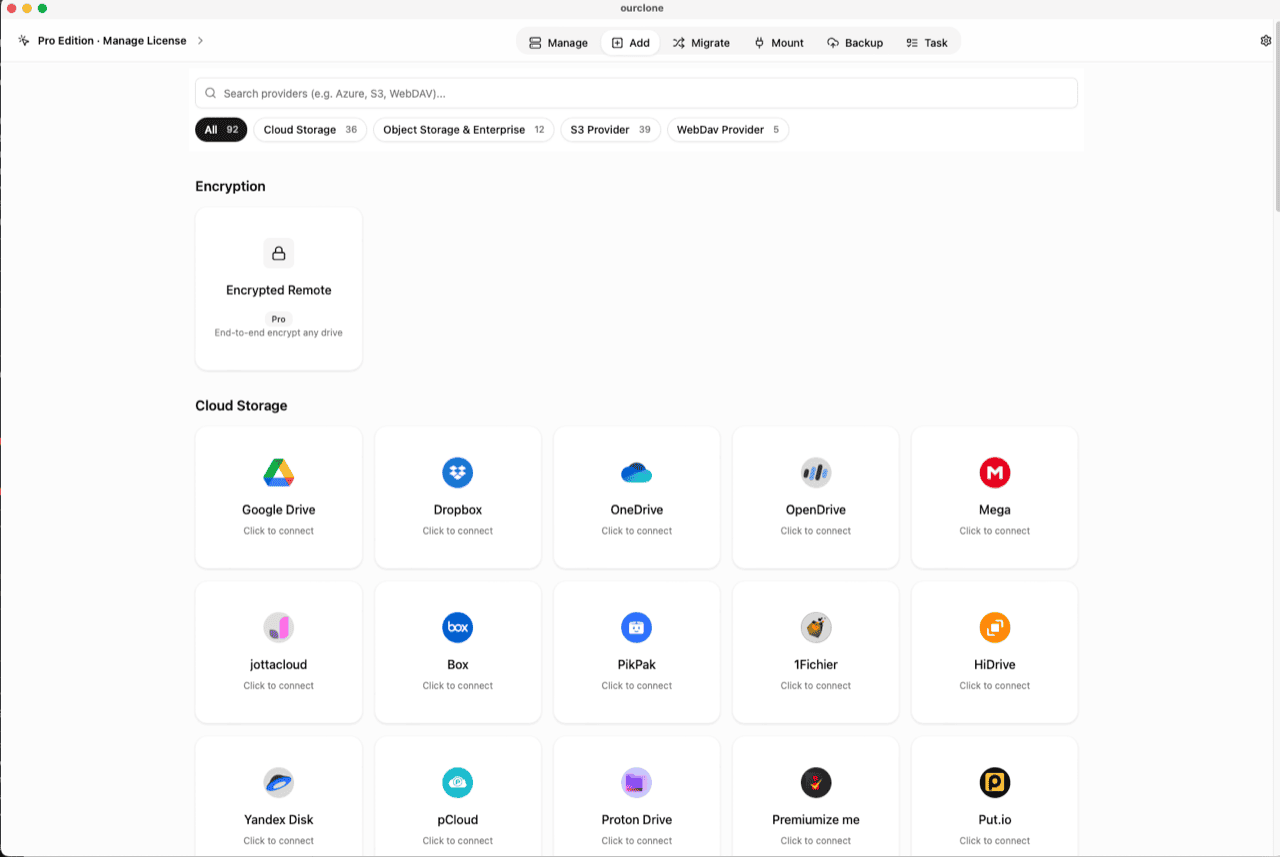
Addpage, the Encryption section sits above the provider grid. Click the Encrypted Remote card (marked Pro). - 🛠️ Create the Vault — Name it (e.g.
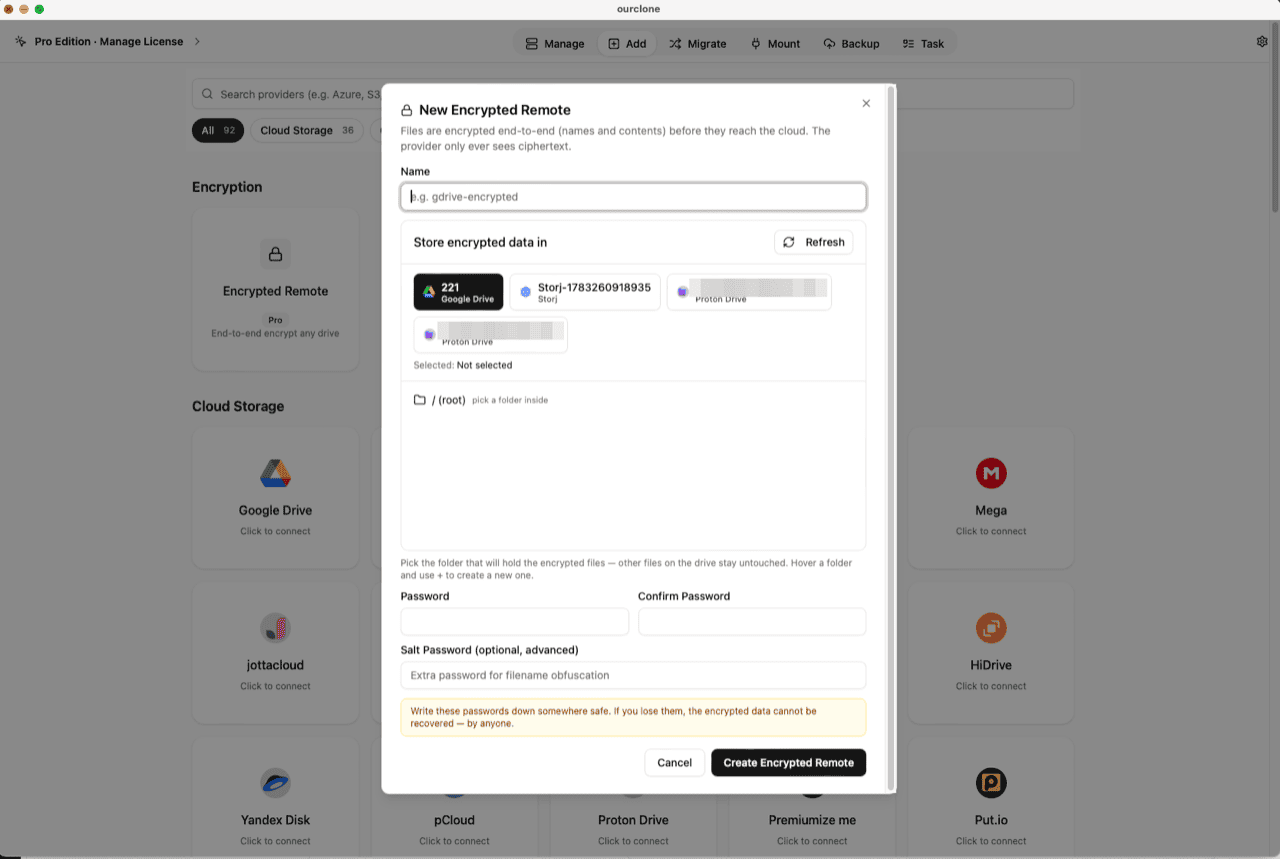
minio-encrypted), pick your MinIO remote as the base storage, then choose or create a folder inside a bucket — the vault must live in a folder, not the root, and only that prefix will hold encrypted objects. Set your password (plus an optional salt password for extra filename obfuscation) and click Create Encrypted Remote. - 📦 Move Files Into the Vault — Open
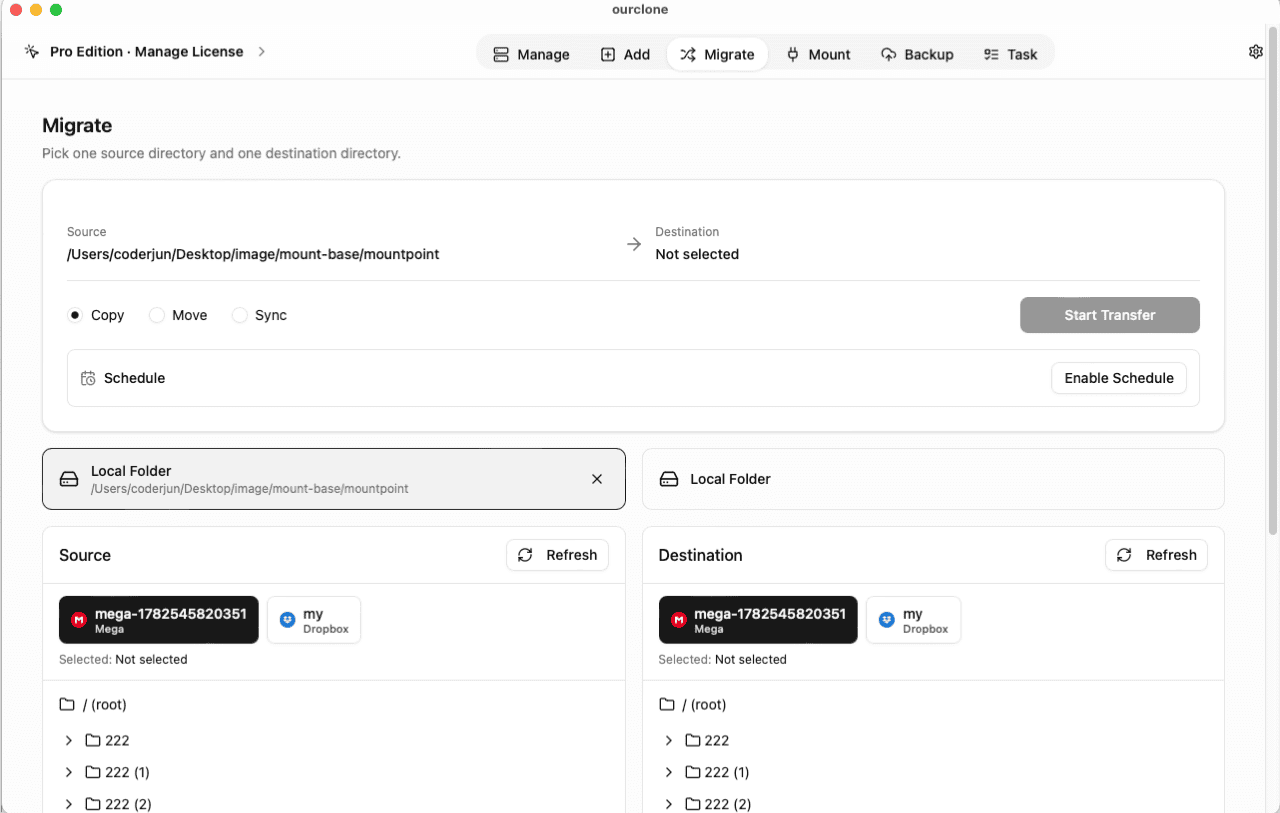
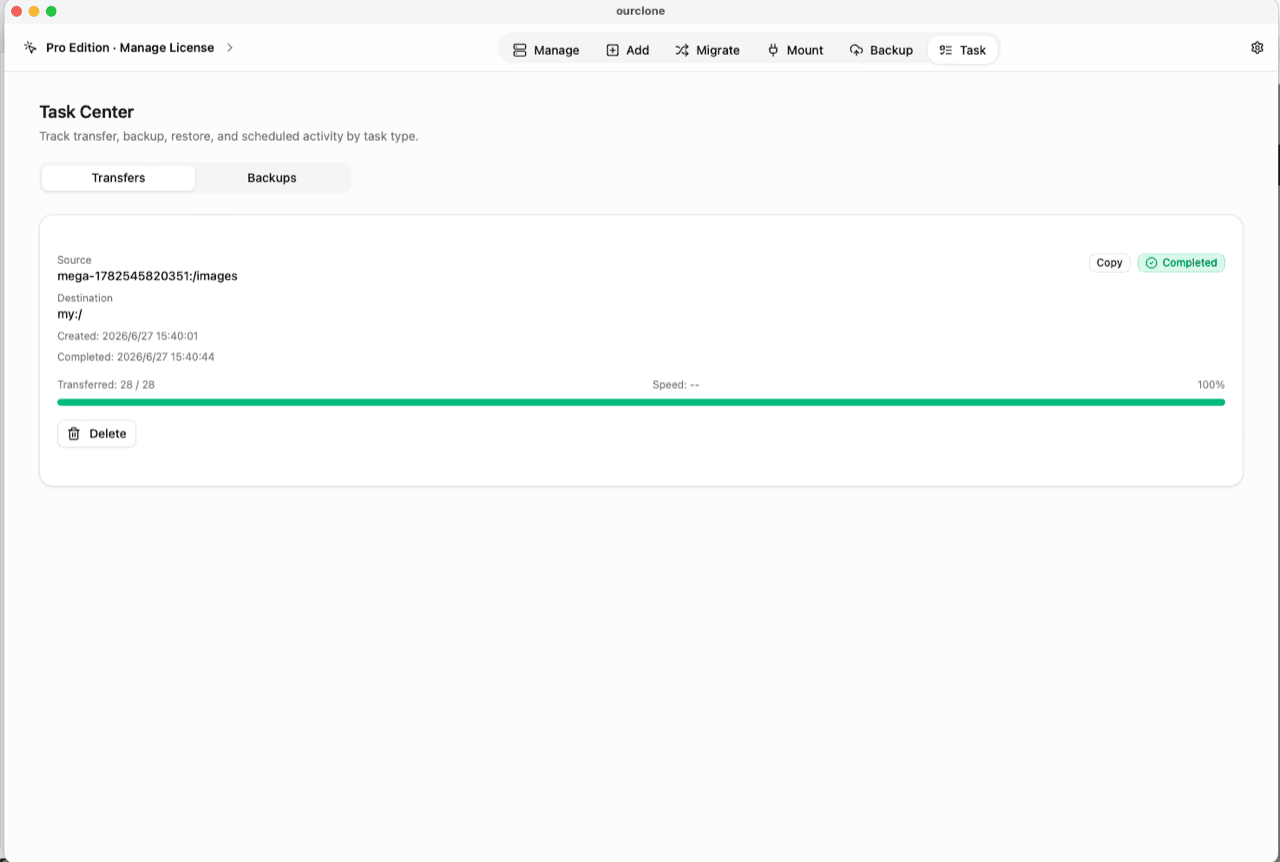
Migrate, choose a local folder (or a cloud remote) as the source and the vault as the destination, then run a copy, move, or sync. Files are encrypted on your machine before the network carries them — at LAN speed if the server is local. - 📊 Watch It in the Task Center — The
Tasktab shows live progress, speed and any failed files, and history survives app restarts.
Keep the vault password in a password manager — losing it makes the data permanently unreadable, no matter who owns the server.
Check What Your Server Actually Stores Now
Open the MinIO Console — or ls the data directory on the host itself — and look at the vault prefix: scrambled names, contents that read as noise. Root on the box can copy every object and still hold nothing usable.
In OurClone, the vault carries a lock badge and the Manage page lists your real files, decrypted locally. You can also mount the vault as a local drive and browse it in Finder or File Explorer (no extra driver on macOS; Windows needs WinFsp).
Frequently Asked Questions
Is the encrypted vault free?
No — it's an OurClone Pro feature. Connecting MinIO, transfers and backups work on the free plan within its limits; see pricing.
Isn't self-hosting already the private option?
Self-hosting removes the cloud provider from the picture — it doesn't encrypt anything. The vault adds the missing property: the machine that stores your data can't read it.
How does this compare to MinIO's server-side encryption?
MinIO's SSE needs a KMS (KES) deployment and still decrypts server-side for authorized clients. The vault needs nothing on the server, and decryption only ever happens on your machine.
What if I forget the vault password?
The data is permanently unreadable, by design. No reset, no backdoor — store it in a password manager.
What is the salt password?
An optional second password that strengthens file-name obfuscation. If set, both are required to read the vault — guard them equally.
Can I open the vault from another computer?
Yes — install OurClone, connect the same MinIO endpoint, and add an Encrypted Remote pointing at the same folder with the same password (and salt, if set).