Why Archives on B2 Deserve Client-Side Encryption
Backblaze B2 earned its place by making off-site storage cheap enough to actually use. The result: B2 buckets tend to hold the concentrated, long-lived copies of everything — which raises the bar for how they should be protected.
- 🗄️ Backups are worst-case data — a backup bucket is your whole digital life in one place: documents, photos, exports, credentials caught in config files. One leak equals many leaks.
- 🔑 Server-side encryption keeps keys with the provider — B2's SSE options encrypt at rest, but with SSE-B2 the key management is on Backblaze's side; access to the bucket means access to plaintext.
- 🧾 Application keys get embedded everywhere — B2 keys end up in backup tools, NAS apps and scripts; any one of those leaking exposes whatever the key can read.
- ⏳ Archives outlive intentions — data parked "temporarily" in B2 tends to stay for years, long after anyone remembers exactly what's inside.
- 🌍 Public-bucket mistakes exist here too — B2 buckets can be set public for sharing; a wrong toggle on the wrong bucket has the same consequences as an open S3 bucket.
What OurClone's Encrypted Vault Actually Does
OurClone's Encrypted Remote wraps your B2 bucket in a password-only encryption layer. B2 keeps being the cheap, reliable warehouse — it just stores boxes it can't open.
- 🔐 Encrypted before upload — files are encrypted on your computer; B2 only ever receives ciphertext.
- 🕵️ File names hidden too — names and contents are both encrypted; the bucket listing shows only scrambled strings.
- 🔑 Your password is the only key — it never reaches Backblaze, and OurClone keeps no recovery copy.
- 🧰 Open format, not lock-in — built on rclone crypt, an open and documented standard.
- 📁 One folder, not the whole bucket — the vault lives under a folder you pick; other prefixes and tools using the bucket stay untouched.
- ⚙️ Behaves like a normal remote — transfer into it, sync it, mount it, or use it as a backup destination.
The Encrypted Remote is an OurClone Pro feature, and a vault always wraps a plain remote — nesting isn't supported.
How to Create an Encrypted Vault on Backblaze B2
A B2 application key pair is all you need to start.
- 🔐 Connect to Backblaze B2 via Application Keys — Open OurClone and go to
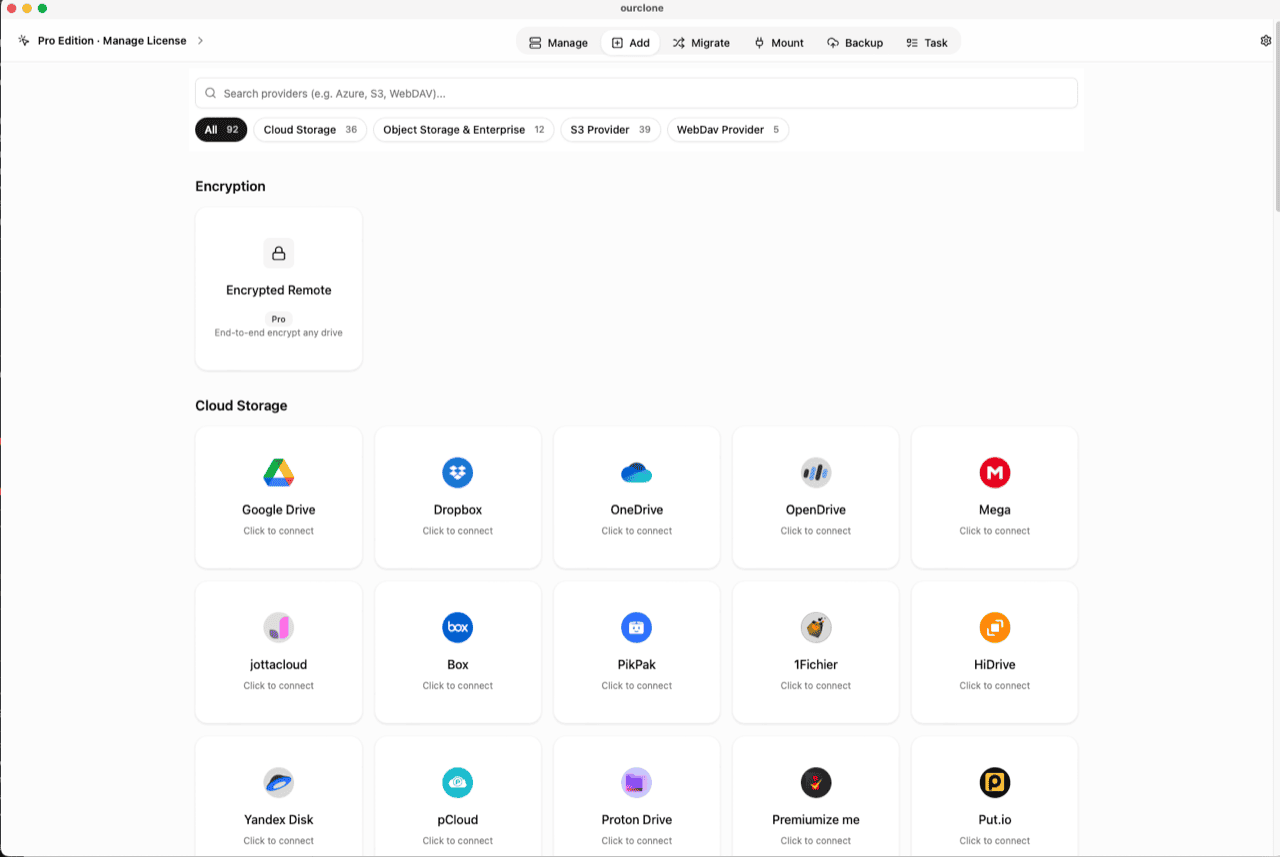
Add. Select Backblaze B2, then enter your Key ID and Application Key, created under App Keys in the Backblaze console. Already connected for backups? Skip ahead. - 🧭 Open the Encryption Category — In the
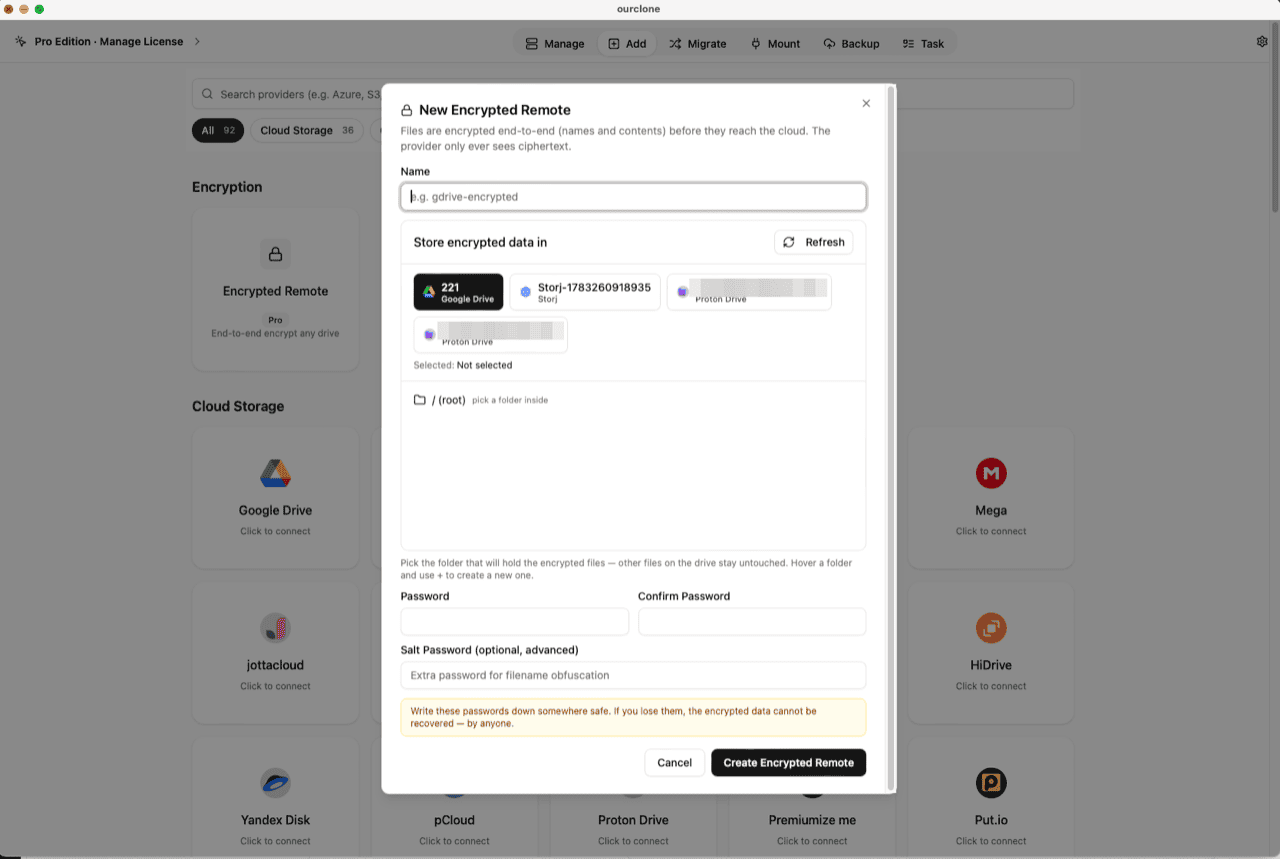
Addpage, the Encryption section sits above the provider grid. Click the Encrypted Remote card (marked Pro). - 🛠️ Create the Vault — Name it (e.g.
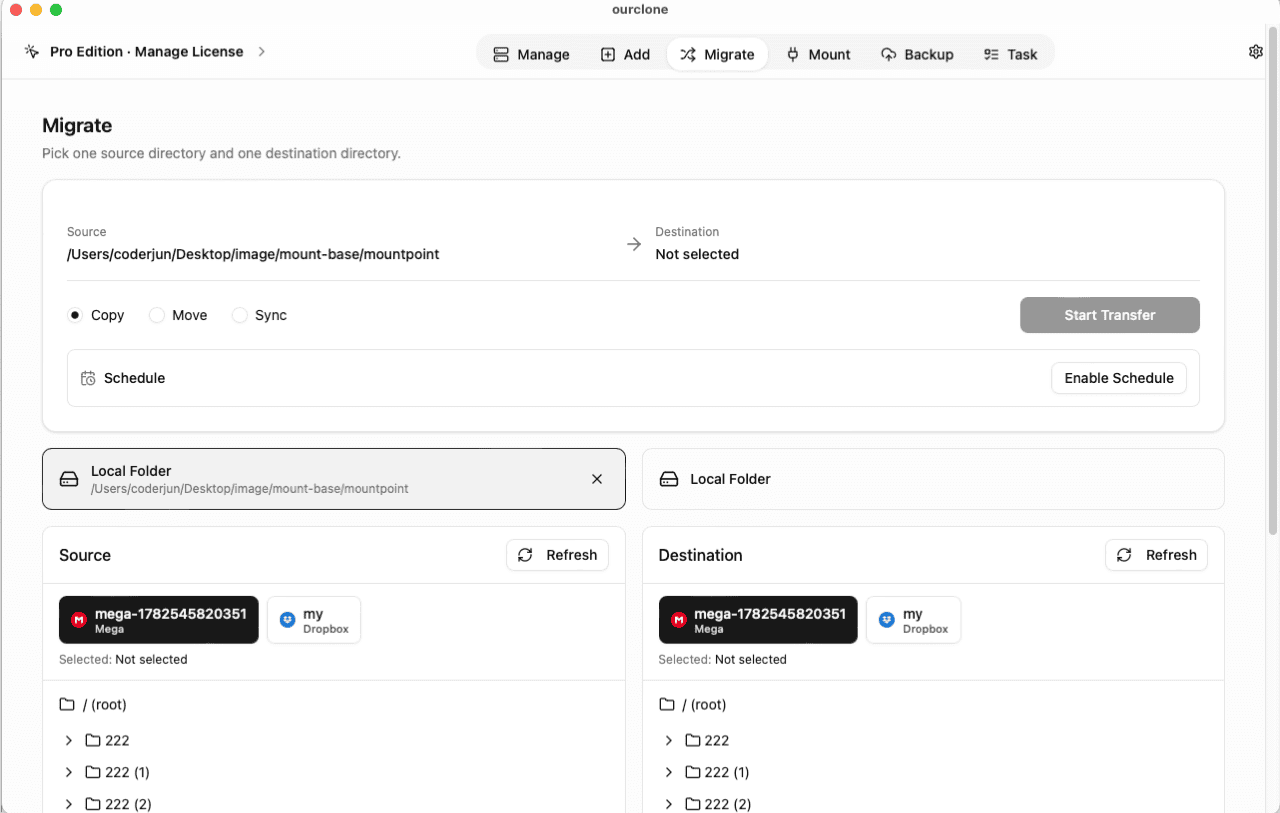
b2-encrypted), pick your B2 remote as the base storage, then choose or create a folder inside a bucket — the vault must live in a folder, not the root, and only that folder will hold encrypted data. Set your password (plus an optional salt password for extra filename obfuscation) and click Create Encrypted Remote. - 📦 Move Files Into the Vault — Open
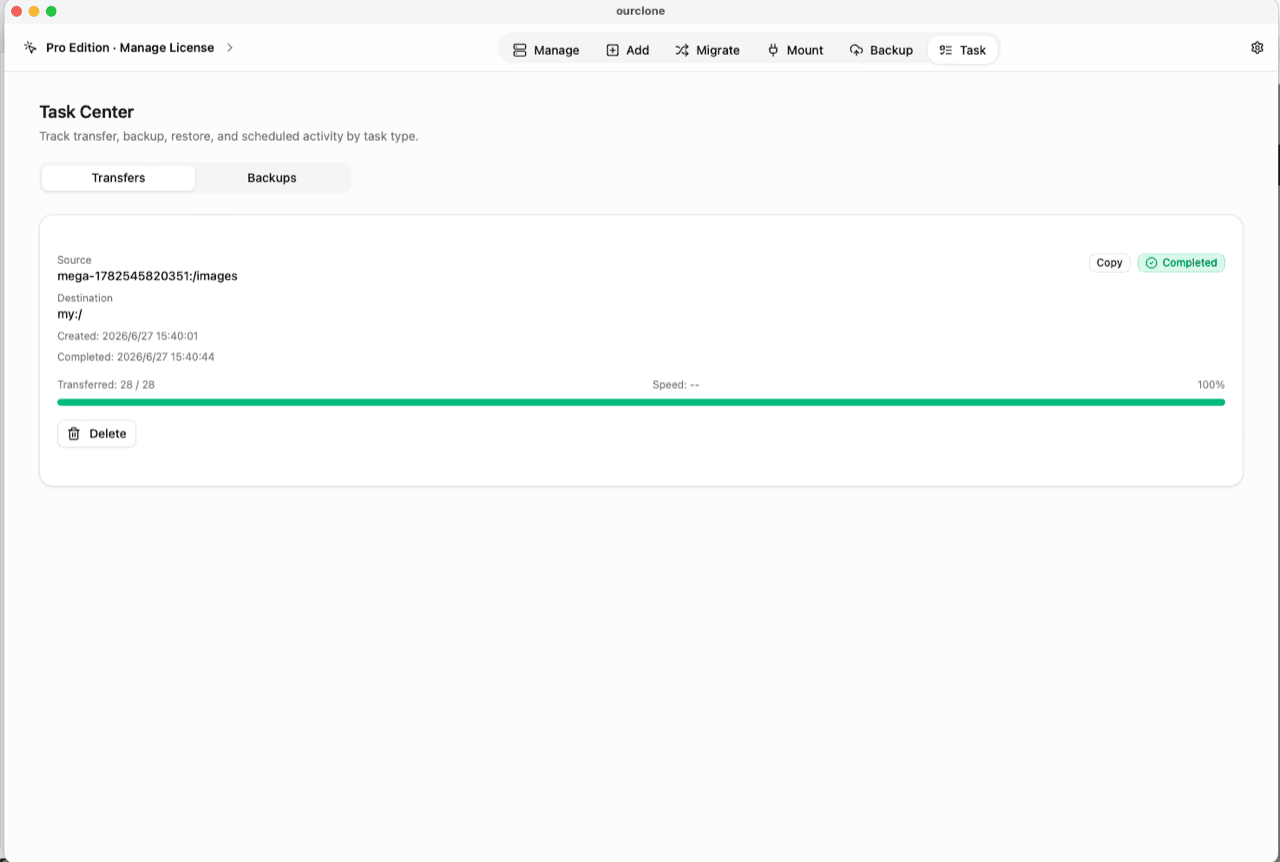
Migrate, choose a local folder (or another cloud) as the source and the vault as the destination, then run a copy, move, or sync. Files are encrypted on the fly as they upload. - 📊 Watch It in the Task Center — The
Tasktab shows live progress, speed and any failed files, and history survives app restarts.
Write the vault password into a password manager before the first archive run — without it, the data is unrecoverable by anyone.
Check What B2 Actually Stores Now
Browse the vault folder in the Backblaze web console: scrambled file names, no previews, downloads that open as noise. A leaked application key or a mistakenly public bucket now exposes ciphertext — not your archive.
In OurClone, the vault carries a lock badge and the Manage page lists your real files, decrypted locally. Need folder-level access? Mount the vault as a local drive and browse it in Finder or File Explorer (no extra driver on macOS; Windows needs WinFsp).
Frequently Asked Questions
Is the encrypted vault free?
No — it's an OurClone Pro feature. Connecting B2, transfers and backups work on the free plan within its limits; see pricing.
I use OurClone's restic backups to B2 — do I still need this?
restic repositories are already encrypted end-to-end, so backups made with OurClone's Backup module are covered. The vault is for everything else you put in B2 — plain file copies, synced folders, archives moved with Migrate.
What if I forget the vault password?
The data is permanently unreadable, by design. No reset, no backdoor — keep it in a password manager.
What is the salt password?
An optional second password that strengthens file-name obfuscation. If set, both are required to read the vault — guard them equally.
Can my other tools keep using the same bucket?
Yes. The vault claims one folder; backup agents and scripts writing to other paths in the bucket are unaffected.
Can I open the vault from another computer?
Yes — install OurClone, connect the same B2 account, and add an Encrypted Remote pointing at the same folder with the same password (and salt, if set).