Why Private Data on R2 Needs Its Own Layer
Cloudflare R2 removed the biggest tax on cloud storage — egress fees — and became a natural dumping ground for everything from site assets to database exports. That mix is exactly where encryption discipline matters.
- 🔑 Cloudflare manages the at-rest keys — R2 encrypts objects on its side, which protects infrastructure, not access: any token or binding with read access gets plaintext.
- 🌐 R2 buckets are built to be exposed — public buckets, r2.dev subdomains and custom domains are one toggle away. Convenient for assets; dangerous for the archive sitting in the same bucket.
- 🧾 API tokens spread across tools and Workers — R2 credentials end up in CI pipelines, Workers bindings and desktop tools; each copy is a potential exposure of everything the token reads.
- 💸 Free egress cuts both ways — zero egress makes exfiltration of an exposed bucket cheap and fast for an attacker, too.
- 📄 Mixed-use buckets accumulate secrets — the same bucket serving your blog images often ends up holding backups and exports "just for now".
What OurClone's Encrypted Vault Actually Does
OurClone's Encrypted Remote draws a hard line inside your R2: one folder where everything is encrypted on your computer before Cloudflare ever sees it.
- 🔐 Encrypted before upload — files are encrypted on your machine; R2 only ever stores ciphertext.
- 🕵️ Object names hidden too — file names and contents are both encrypted; bucket listings show only scrambled strings.
- 🔑 Your password is the only key — it never reaches Cloudflare; no API token or Worker binding can decrypt the vault.
- 🧰 Open format, not lock-in — built on rclone crypt, an open and documented standard.
- 📁 One prefix, not the whole bucket — public assets keep serving from their paths; the vault claims only the folder you pick.
- ⚙️ Behaves like a normal remote — transfer into it, sync it, mount it, or use it as a backup destination.
The Encrypted Remote is an OurClone Pro feature, and a vault always wraps a plain remote — nesting isn't supported.
How to Create an Encrypted Vault on Cloudflare R2
You'll need an R2 API token; the rest is a single dialog.
- 🔐 Connect to R2 via Access Keys — Open OurClone and go to
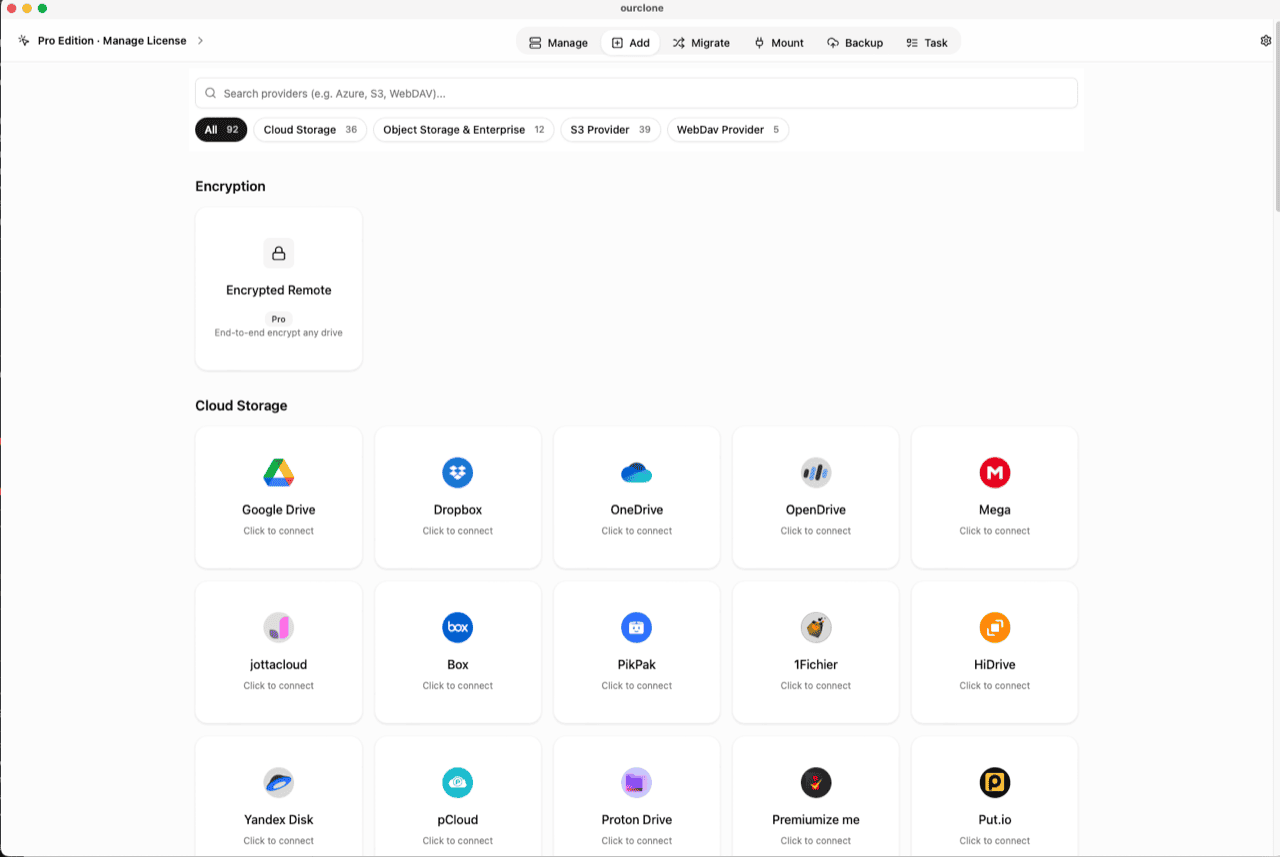
Add. Select Cloudflare R2, then enter the Access Key ID and Secret Access Key from Manage R2 API Tokens in the Cloudflare dashboard, plus your account endpoint. Already connected for mounting or backups? Skip ahead. - 🧭 Open the Encryption Category — In the
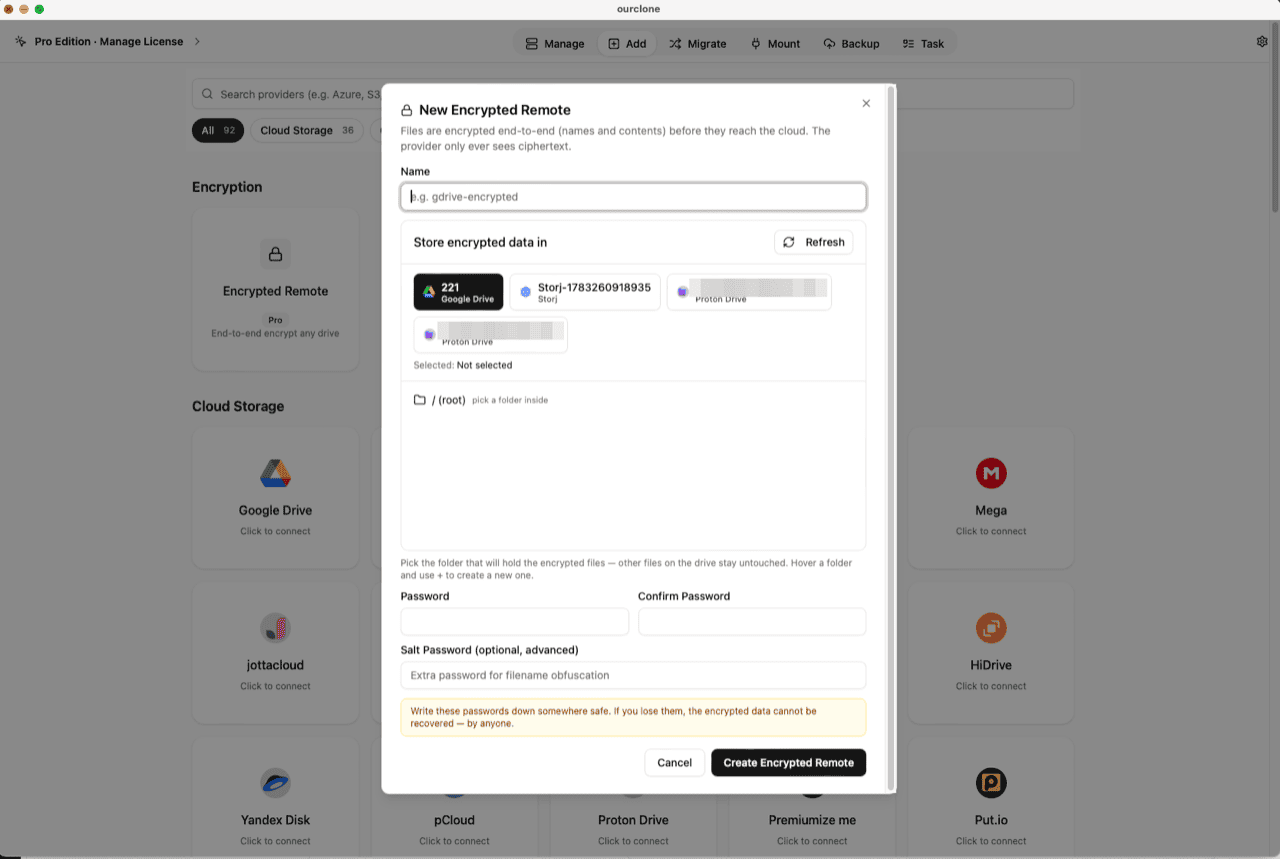
Addpage, the Encryption section sits above the provider grid. Click the Encrypted Remote card (marked Pro). - 🛠️ Create the Vault — Name it (e.g.
r2-encrypted), pick your R2 remote as the base storage, then choose or create a folder inside a bucket — the vault must live in a folder, not the root, and only that prefix will hold encrypted objects. Set your password (plus an optional salt password for extra filename obfuscation) and click Create Encrypted Remote. - 📦 Move Files Into the Vault — Open
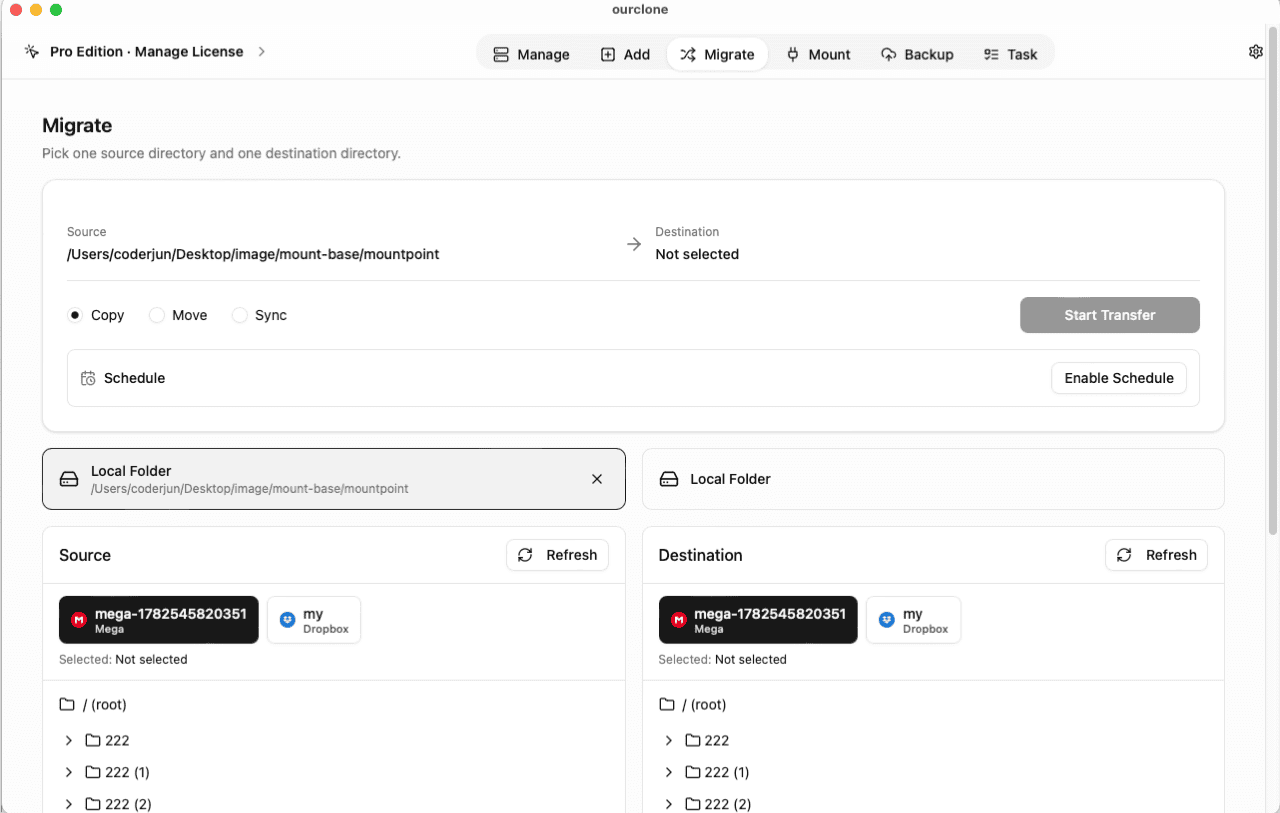
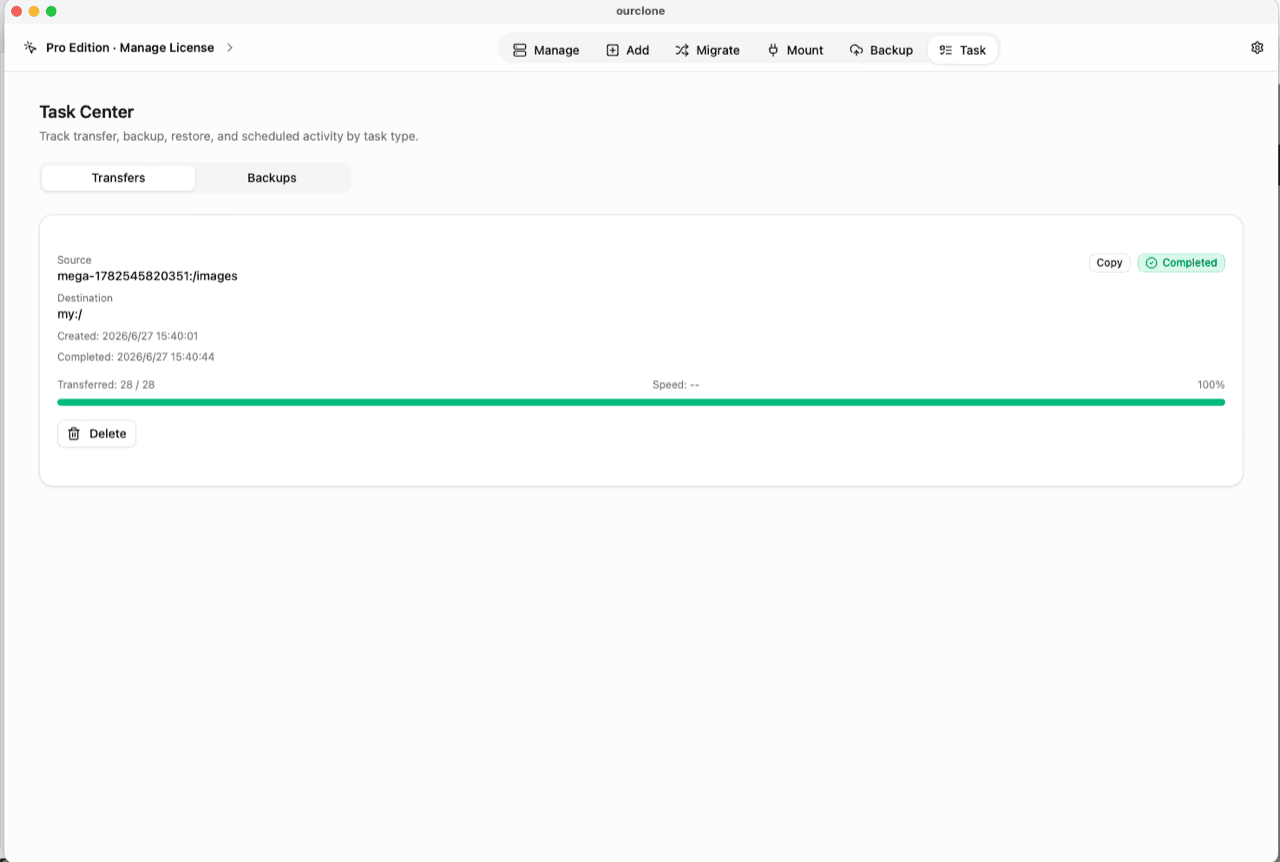
Migrate, choose a local folder (or another cloud) as the source and the vault as the destination, then run a copy, move, or sync. Files are encrypted on the fly as they upload. - 📊 Watch It in the Task Center — The
Tasktab shows live progress, speed and any failed files, and history survives app restarts.
Save the vault password in a password manager before you rely on it — lost passwords mean permanently lost data.
Check What R2 Actually Stores Now
Open the bucket in the Cloudflare dashboard and browse the vault prefix: scrambled object names and contents that download as noise. Even if that prefix were ever served through a public domain by mistake, visitors would receive ciphertext — not your files.
In OurClone, the vault carries a lock badge and the Manage page shows your real file names, decrypted locally. And thanks to R2's free egress, pulling your encrypted data back out — for a restore or a migration — costs nothing in bandwidth fees.
Frequently Asked Questions
Is the encrypted vault free?
No — it's an OurClone Pro feature. Connecting R2, transfers and backups work on the free plan within its limits; see pricing.
Can I keep serving public assets from the same bucket?
Yes — that's the point of scoping the vault to one folder. Public paths keep serving images and downloads; only the vault prefix holds ciphertext.
What if I forget the vault password?
The data is permanently unreadable, by design. No reset, no backdoor — store it in a password manager.
What is the salt password?
An optional second password that strengthens file-name obfuscation. If set, both are required to read the vault — guard them equally.
How is this different from R2's own encryption?
R2 encrypts at rest with keys Cloudflare manages, and decrypts transparently for anything with access. The vault's key exists only on your devices — exposure of the bucket exposes ciphertext.
Can I open the vault from another computer?
Yes — install OurClone, connect the same R2 account, and add an Encrypted Remote pointing at the same folder with the same password (and salt, if set).