Why Some Box Files Deserve Their Own Encryption
Box encrypts every file with AES-256 at rest and TLS in transit — solid infrastructure security. But the keys sit with Box, and the platform is deliberately built so that more people than just you can reach your content.
- 🔑 Box holds the encryption keys — at-rest encryption protects Box's data centers, not your account: anything with legitimate access reads plaintext.
- 👔 Admins can see managed content — in business and enterprise accounts, admins with content privileges can access files in managed users' accounts. Normal governance for a company — worth remembering for anything personal or sensitive.
- 🏢 Box KeySafe is an enterprise add-on — Box's customer-managed-key offering targets Enterprise plans, and it manages server-side keys; it isn't client-side encryption for individuals.
- 🔗 Shared links drift — Box lives on collaboration: one link set to "people with the link" on the wrong folder exposes everything inside it.
- 🧩 Integrations multiply access — every connected app and OAuth grant is another path to your files; each one is only as careful as its own security.
What OurClone's Encrypted Vault Actually Does
OurClone's Encrypted Remote wraps your Box account in a password-only layer: one folder where everything is encrypted before Box ever sees it.
- 🔐 Encrypted before upload — files are encrypted on your computer; Box only ever receives ciphertext.
- 🕵️ File names hidden too — names and contents are both encrypted; the vault folder in the Box web app shows only scrambled text.
- 🔑 Your password is the only key — it never leaves your device, and OurClone keeps no recovery copy.
- 🧰 Open format, not lock-in — built on rclone crypt, an open and documented standard.
- 📁 One folder, not the whole account — shared projects and collaboration folders stay exactly as they are.
- ⚙️ Behaves like a normal remote — transfer into it, sync it, mount it, or use it as a backup destination.
The Encrypted Remote is an OurClone Pro feature, and a vault always wraps a plain remote — nesting isn't supported.
How to Create an Encrypted Vault on Box
Box connects with a browser sign-in; the vault itself is a single dialog.
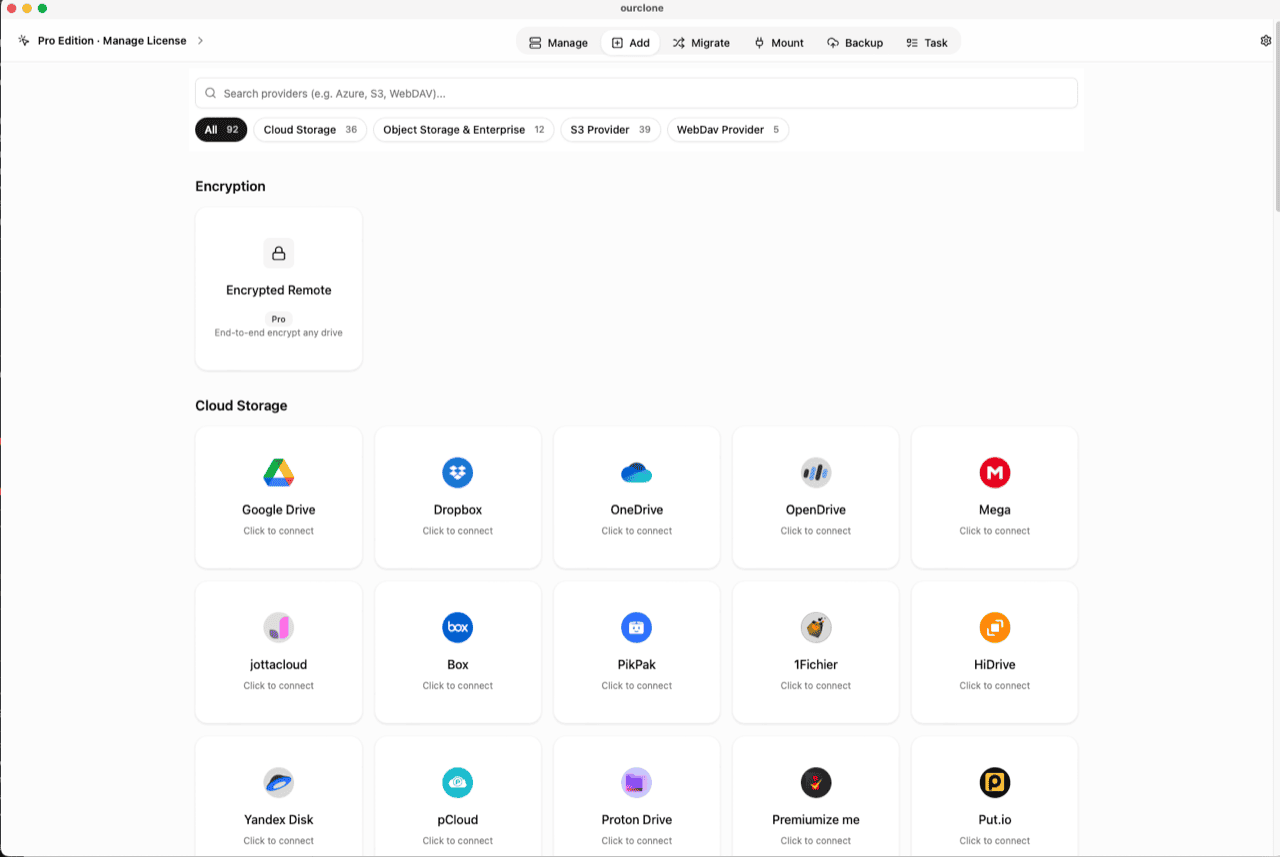
- 🔗 Connect Box — Open OurClone and go to
Add. Select Box; a browser window opens for you to log in and authorize access — no password is typed into the app. Already connected for mounting or backups? Skip ahead. - 🧭 Open the Encryption Category — In the
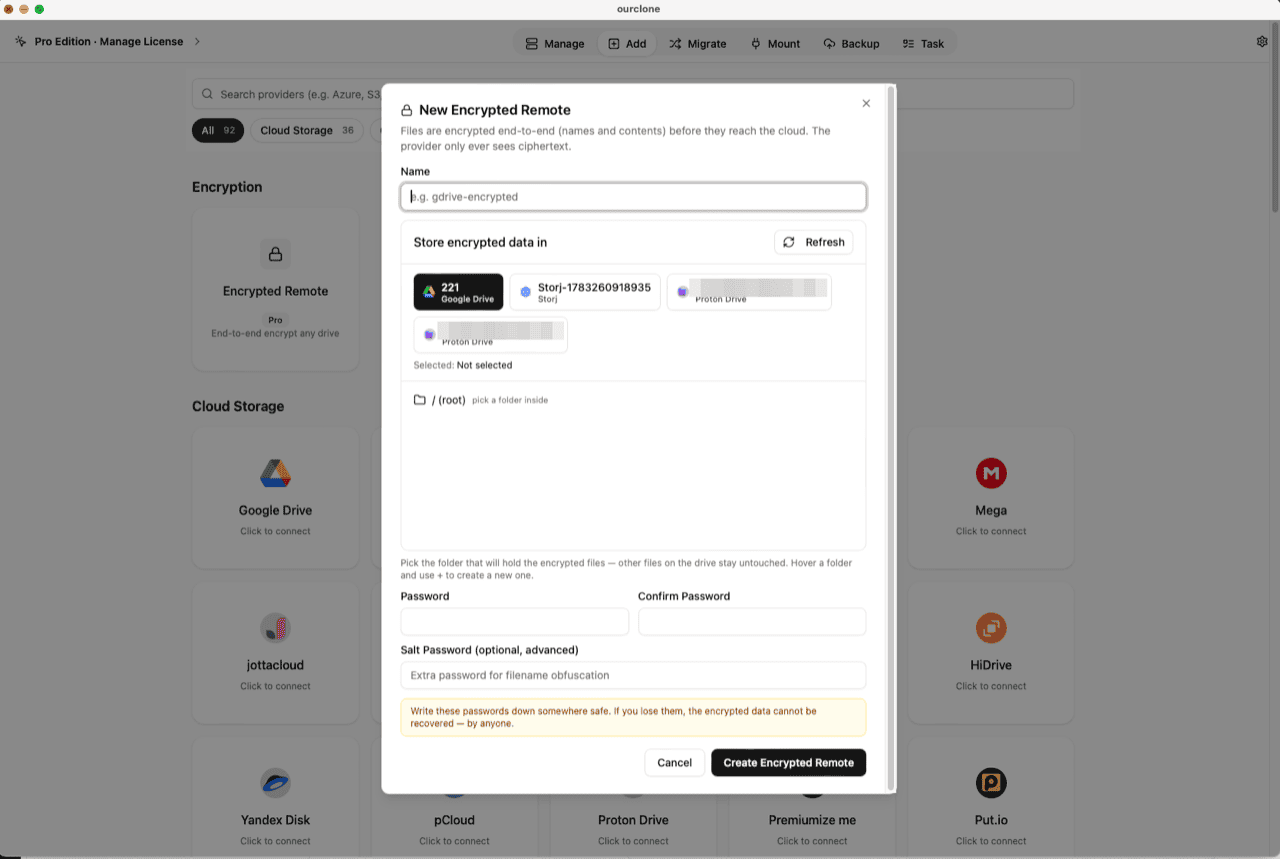
Addpage, the Encryption section sits above the provider grid. Click the Encrypted Remote card (marked Pro). - 🛠️ Create the Vault — Name it (e.g.
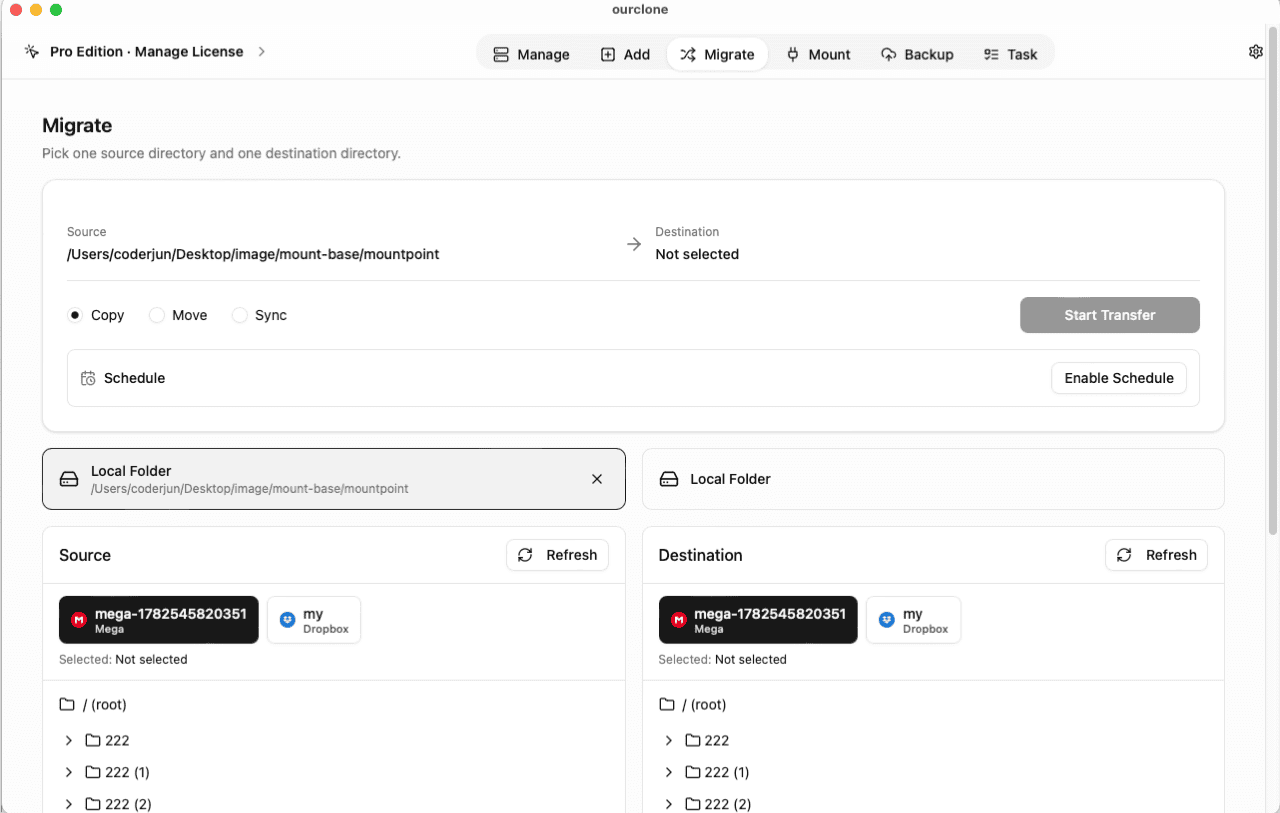
box-encrypted), pick your Box account as the base storage, then choose or create a folder inside it — the vault must live in a folder, not the account root, and only that folder will hold encrypted data. Set your password (plus an optional salt password for extra filename obfuscation) and click Create Encrypted Remote. - 📦 Move Files Into the Vault — Open
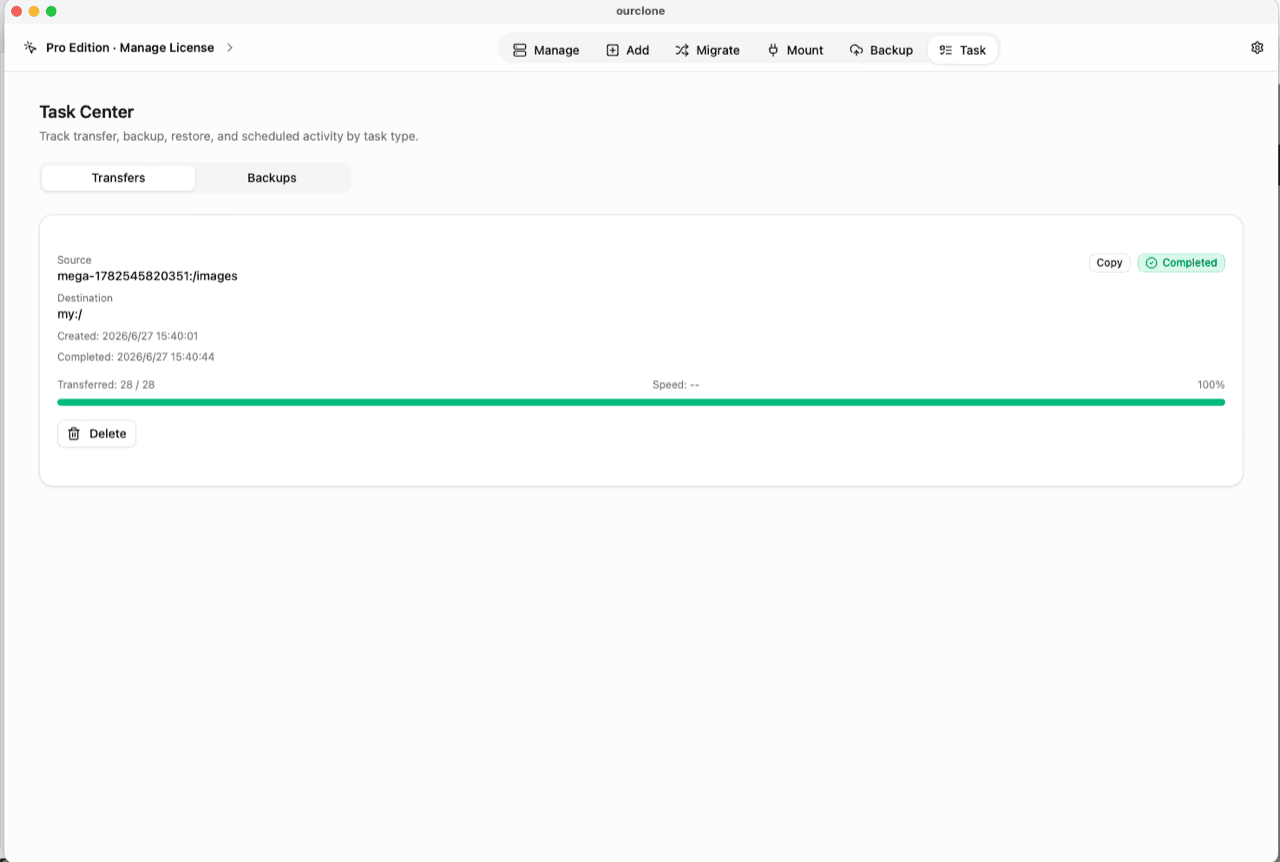
Migrate, choose a local folder (or another cloud) as the source and the vault as the destination, then run a copy, move, or sync. Files are encrypted on the fly as they upload. - 📊 Watch It in the Task Center — The
Tasktab shows live progress, speed and any failed files, and history survives app restarts.
Store the vault password in a password manager before you rely on it — there is no reset and no recovery.
Check What Box Can See Now
Open the Box web app and browse to the vault folder: scrambled file names, no previews, downloads that open as noise. An admin, an integration, or a mis-shared link now reaches ciphertext — not your documents.
In OurClone, the vault carries a lock badge and the Manage page lists your real files, decrypted locally. You can also mount the vault as a local drive and browse it in Finder or File Explorer (no extra driver on macOS; Windows needs WinFsp).
Frequently Asked Questions
Is the encrypted vault free?
No — it's an OurClone Pro feature. Connecting Box, transfers and backups work on the free plan within its limits; see pricing.
What if I forget the vault password?
The data is permanently unreadable, by design. No reset, no backdoor — keep it in a password manager.
What is the salt password?
An optional second password that strengthens file-name obfuscation. If set, both are required to read the vault — guard them equally.
How is this different from Box KeySafe?
KeySafe lets enterprises control the keys Box uses for server-side encryption — decryption still happens on Box's side for authorized users, and it's an Enterprise offering. The vault encrypts on your device with a key that never reaches Box, on any plan OurClone Pro supports.
Can I keep collaborating in the rest of my Box?
Yes. The vault claims one folder; shared folders, links and integrations everywhere else keep working untouched. Just don't share the vault folder itself — collaborators would only see ciphertext.
Can I open the vault from another computer?
Yes — install OurClone, connect the same Box account, and add an Encrypted Remote pointing at the same folder with the same password (and salt, if set).