🔍 Why Sync Google Drive to OneDrive Locally?
Many users have both Google and Microsoft accounts and prefer to consolidate or back up their files across platforms. Syncing via your local computer offers full control, avoids third-party server involvement, and allows for encryption and verification.
⚙️ Method Overview
- Install OurClone (recommended for privacy and control)
- Mount or sync Google Drive to a local directory
- Mount or sync OneDrive to another local directory
- Use
migratein OurClone to initiate real-time sync
💡 What is OurClone?
OurClone is a free desktop software for cloud-to-cloud and local-to-cloud data sync. It uses AES-256 SSL encryption and only transmits data via your own bandwidth—no cloud intermediaries. Perfect for advanced users who value security and control.
🛠 Step-by-Step Setup
1. Install OurClone
Download and install OurClone for your operating system (macOS, Windows, or Linux) from the official download page.
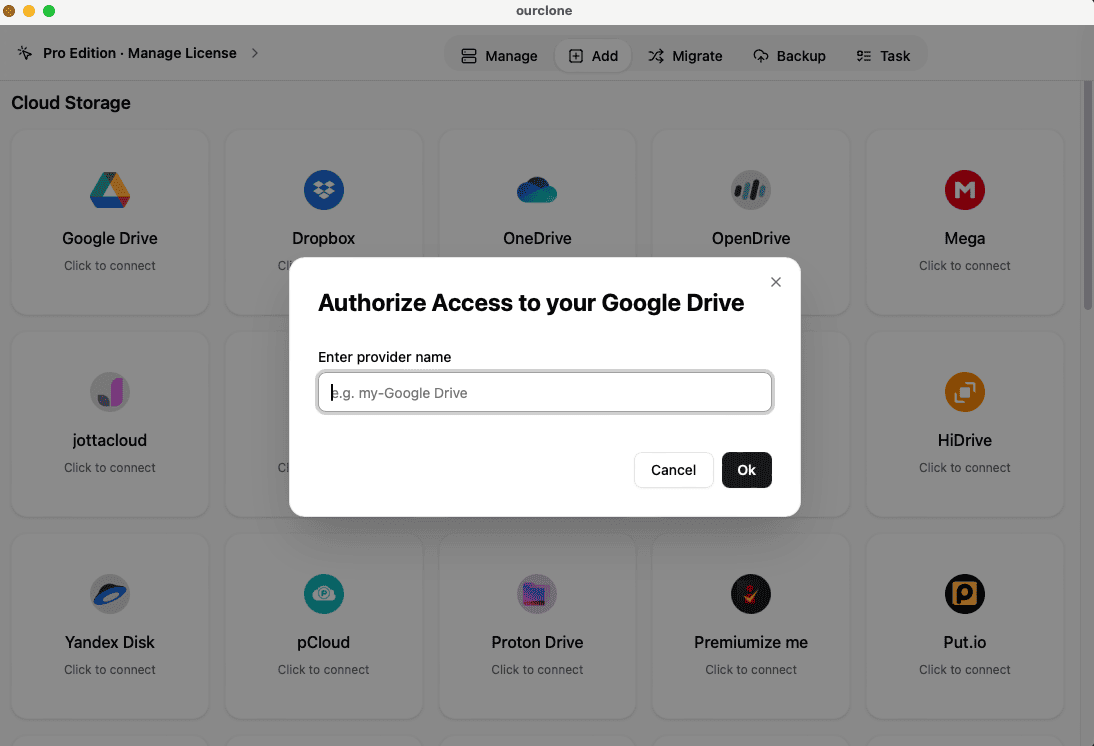
2. Connect Google Drive
- Open OurClone
- Click Add Cloud → Select Google Drive
- Authenticate using your Google account and authorize access
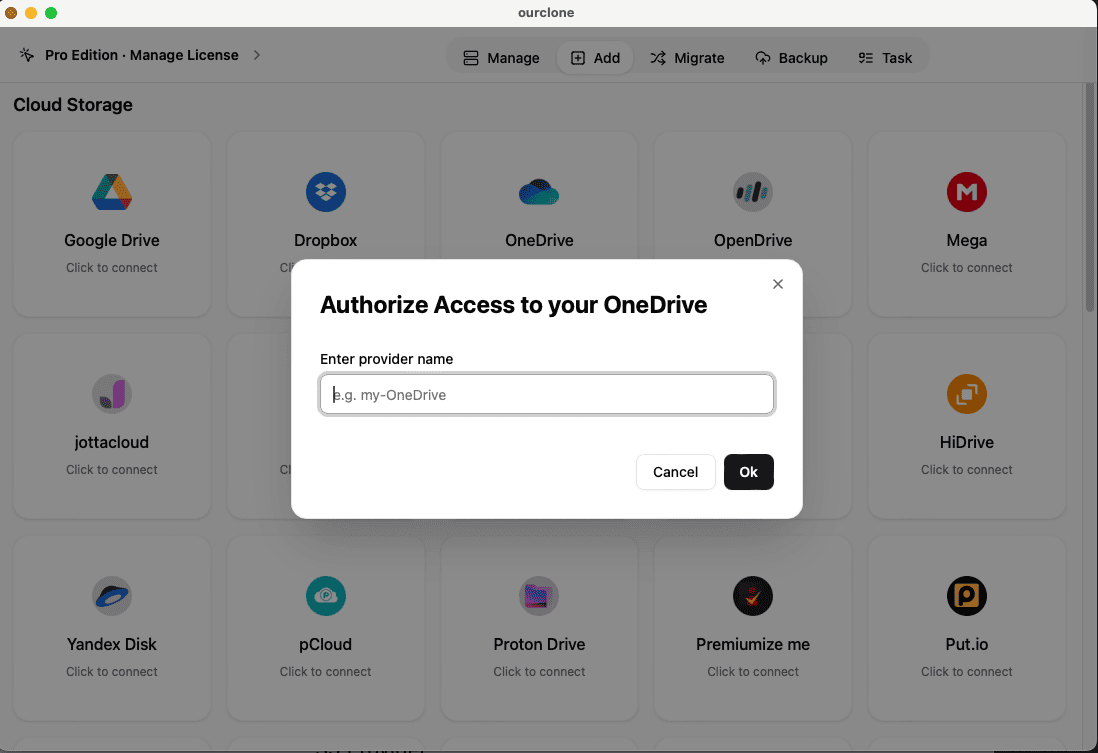
3. Connect OneDrive
- Repeat the same steps to add Microsoft OneDrive
- Login and authorize access to your OneDrive files
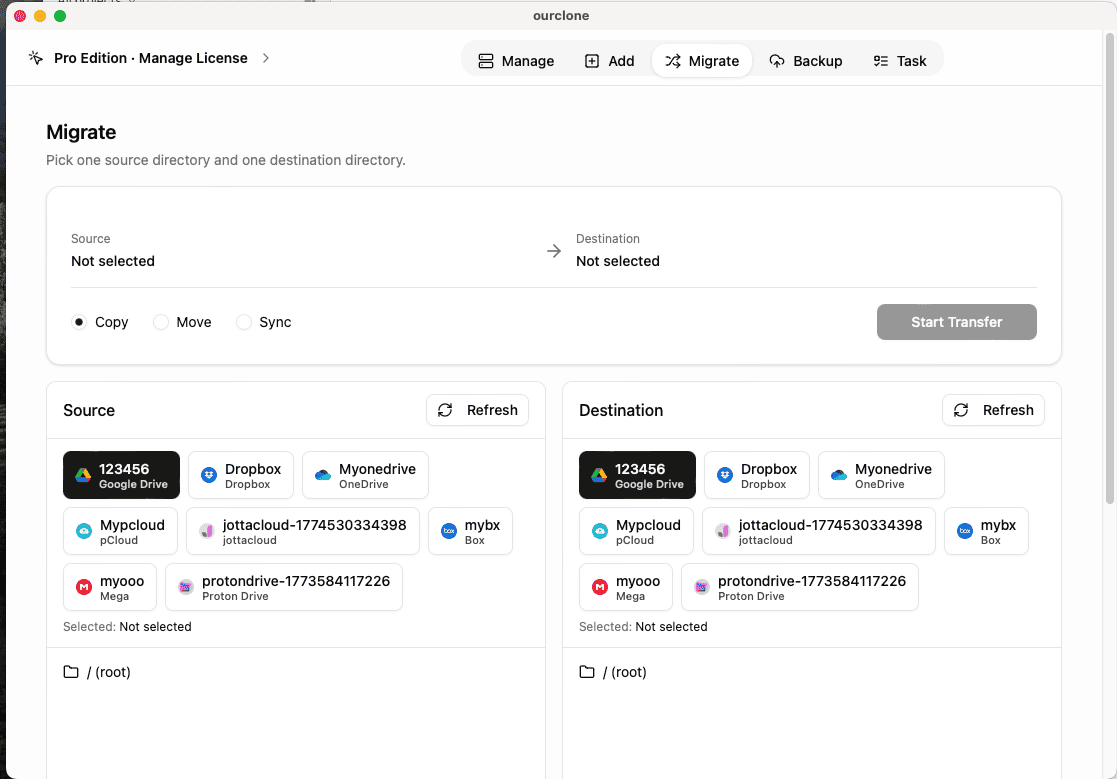
4. Create a Migrate Task
- Go to Migrate in the sidebar
- Set your source path to your Google Drive folder
- Set the target path to your OneDrive folder
- Choose options like
syncorcopy, delete extra files if desired - Click Start to begin the sync
🔐 Security Benefits
Unlike cloud-based sync tools, OurClone uses local bandwidth and local encryption. Your files never touch a third-party server, and the backup repository is locked without a password.
📌 Additional Features
- 🕒 Schedule backups or sync at intervals
- 🧩 File filters: sync only PDFs, images, or documents
- 📁 Include/exclude subfolders and metadata
- 🔔 Task history, progress monitoring, and logs
📣 Final Tips
Make sure your Google and Microsoft accounts have sufficient storage quota before syncing. For large datasets, you can upgrade to OurClone Pro for enhanced support and parallel processing.
📥 Download & Try OurClone
Get started with the free version of OurClone today: https://www.ourclone.app/download